
Best Invoice Automation Software

Quick answer
Best Invoice Automation SoftwareThe best invoice automation software combines AI-powered data extraction, intelligent validation, seamless ERP integration, and full accounts payable workflow automation. Top solutions like Staple AI, SAP Concur, and Basware can process invoices in seconds rather than minutes, reduce errors by over 80%, and cut processing costs by up to 70% while handling complex, multi-format invoices across global operations.
Last month, I sat with a finance director at a multinational manufacturing company. She had 18 people in her accounts payable team. Their job? Processing roughly 35,000 invoices every month. Paper invoices. PDF invoices. Emailed invoices. Invoices sent through vendor portals. Invoices in seven different languages.
She told me her team spent an average of 12 minutes per invoice. Manual data entry. Cross-checking line items. Matching purchase orders. Chasing approvals. The math was brutal. That's 7,000 hours of human work every single month, just to get invoices into their ERP system.
When I asked what worried her most, she didn't hesitate. "Error rates," she said. "We catch most mistakes, but not all. Last quarter, we overpaid three vendors by a combined $47,000 because someone transposed numbers. And we have no idea how many smaller errors slip through." Her CFO had given her six months to fix it. She was three months in and drowning in vendor demos that all promised the same thing but delivered wildly different results.
This isn't an isolated story. In my experience, most enterprise finance teams are stuck in this exact situation. They know invoice automation exists. They know they need it. But choosing the right invoice automation software feels like navigating a minefield of marketing claims, hidden limitations, and expensive mistakes.
What Invoice Automation Software Actually Does (And Why Traditional OCR Falls Short)
Invoice automation software extracts data from invoices automatically, validates that data against business rules and existing records, routes invoices through approval workflows, and pushes the final data into your financial systems without human intervention. At least, that's what it's supposed to do. The reality is more nuanced.
Traditional invoice processing relied on optical character recognition, or OCR. You scan a document. The software reads the text. Someone manually maps that text to the right fields. It worked fine for perfectly formatted, consistent invoices from regular vendors. But most enterprises don't have that luxury. Invoices arrive in hundreds of different formats. Line item tables vary wildly. Vendor naming conventions change. Tax calculations differ by country and jurisdiction.
Modern invoice automation software uses machine learning and intelligent document processing to understand invoice structure and context, not just read text. The system learns where to find key information regardless of document layout. It validates extracted data against your master vendor list, purchase orders, and contracts. It handles exceptions intelligently rather than dumping every edge case back into a manual queue.
Here's what separates basic invoice automation from truly automated invoice processing systems:
Why This Matters for Enterprise Finance Teams
The cost of manual invoice processing isn't just labor hours. According to the Institute of Finance and Management (IOFM), the average cost to process a single invoice manually is $6.30, compared to just $1.45 with full automation. For a company processing 50,000 invoices annually, that's between $600,000 and $1.5 million in processing costs alone. And that number doesn't include the cost of late payment penalties, missed early payment discounts, or duplicate payments that slip through manual workflows.
But here's what really keeps finance directors awake at night: visibility. When invoices sit in email inboxes waiting for data entry, or get stuck in approval chains, you have zero real-time insight into your accounts payable position. You can't forecast cash flow accurately. You can't take advantage of dynamic discounting opportunities. You can't identify spending patterns or vendor performance issues until month-end close, when it's too late to act.
Automated invoice processing fixes this. You gain instant visibility into every invoice from the moment it arrives. You can see exactly where each invoice sits in your workflow. You can identify bottlenecks, track approval times, and measure vendor payment cycles. This visibility transforms accounts payable from a reactive cost center into a strategic function that actively manages working capital.
How It Works: Step by Step
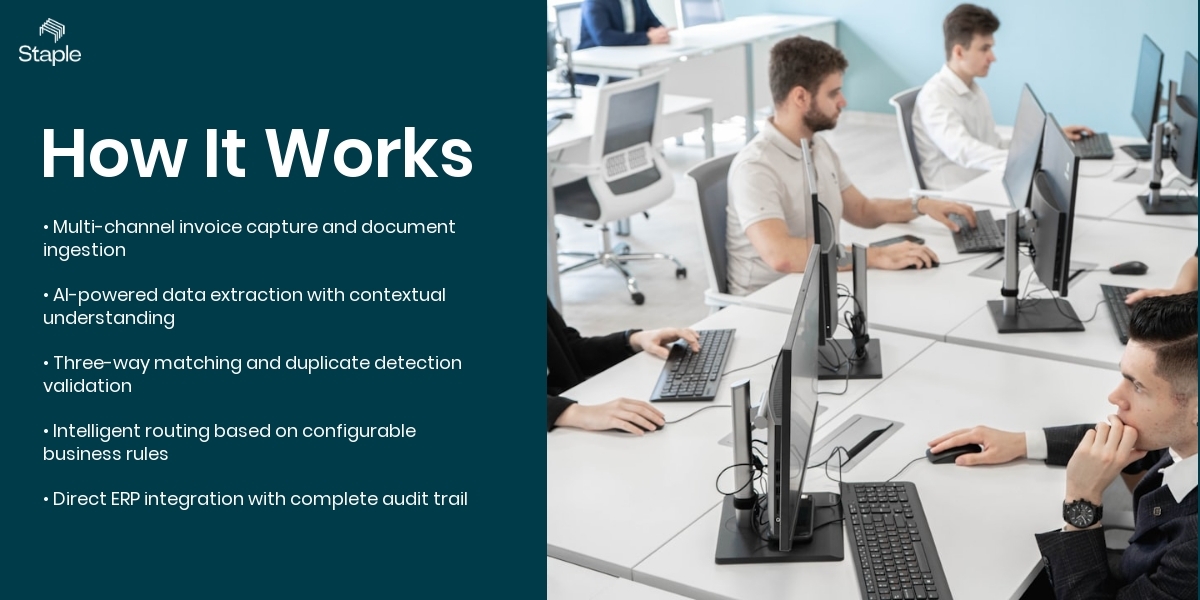
Step 1: Invoice Capture and Ingestion
Invoices arrive through multiple channels: email attachments, EDI feeds, vendor portals, physical mail, or direct API connections. The invoice automation system monitors all these channels continuously and ingests documents automatically as they arrive. For paper invoices, scanning apps or multifunction printers send images directly to the platform.
The system handles any file format: PDF, JPEG, TIFF, XML, or even scanned handwritten invoices. Each document receives a unique identifier and enters the processing queue immediately. In my experience, companies that centralize invoice ingestion through a single platform reduce processing time by 40% compared to teams that manually download invoices from different vendor portals.
Step 2: Intelligent Data Extraction
This is where real invoice automation software separates itself from basic OCR tools. The system analyzes each invoice using computer vision and natural language processing to identify document structure, locate key fields, and extract data with context. It doesn't just read "Invoice Number: 12345" at the top of the page. It understands that the number listed as "Ref" on one vendor's invoice serves the same purpose as "Invoice No" on another's.
The system extracts header information like vendor name, invoice number, date, total amount, and tax, then tackles the complex part: line-item tables. It identifies table boundaries, maps columns correctly even when headers vary, and extracts every line item with its description, quantity, unit price, and tax rate. Industry benchmarks show that AI-powered extraction achieves significantly higher accuracy on first-pass processing compared to template-based OCR systems.
Step 3: Validation and Matching
Extracted data means nothing if it's wrong or can't be matched to existing records. The automated invoice processing system now validates every field against your master data. It matches vendor names to your vendor master file, even when spellings vary slightly. It performs three-way matching between invoice line items, purchase order data, and goods receipt records. If the invoice total doesn't match the PO, the system flags it.
If quantities differ, it identifies the discrepancy. If a vendor adds unexpected charges, the system catches it before approval. This validation happens in seconds, not the hours or days required for manual review. The system also checks for duplicate invoices by comparing invoice numbers, dates, and amounts against historical data to prevent double payments.
Step 4: Intelligent Routing and Approval Workflow
Once validated, the invoice enters your approval workflow automatically. The system routes invoices to the appropriate approvers based on business rules you define: invoice amount, cost center, GL account, vendor type, or any combination of factors. If an invoice requires approval from three different managers, the system sends it to all three simultaneously or in sequence depending on your policy.
Approvers receive notifications with all relevant context: the invoice image, extracted data, matching purchase order, any exceptions or notes. They approve or reject with a single click from email or mobile device. The system tracks every action, timestamps every decision, and maintains a complete audit trail. If an invoice sits unapproved beyond your threshold, automated reminders escalate to supervisors.
Step 5: ERP Integration and Payment Posting
After approval, the invoice data flows automatically into your ERP or accounting system. The integration pushes vendor information, invoice header data, line item details, tax codes, cost center allocations, and GL account coding directly into your financial system without manual entry. The system creates the vendor invoice record, matches it to the purchase order if applicable, and makes it ready for payment processing.
When payment runs execute, the automation platform can trigger payments through your banking systems and update invoice status accordingly. Every action syncs back to the invoice automation system, so you always have current status visibility. This closed-loop integration eliminates the rekeying, reduces errors to near zero, and cuts days off your invoice-to-payment cycle.
Common Challenges (And What Nobody Tells You)
Vendor Onboarding and Master Data Quality
Every invoice automation project runs into this wall. Your vendor master data is probably a mess. Duplicate vendor records with slightly different names. Outdated addresses. Missing tax IDs. Inactive vendors still in the system. The automation software can't match invoices accurately if your master data is inconsistent. I've seen implementations stall for months because finance teams underestimated the cleanup required.
The dirty secret is that most vendors don't tell you this during the sales process. They assume your data is clean or promise their AI will magically fix it. It won't. You need to invest time upfront to deduplicate vendors, standardize naming conventions, and establish data governance processes. The good news is that once you fix it, the automated invoice system maintains data quality going forward by flagging new vendor variations for review.
Exception Handling That Still Requires Humans
Marketing materials for invoice automation software show straight-through processing rates of 80% or 90%. What they don't explain clearly is that the remaining 10-20% of invoices still need human review. These exceptions include mismatched invoice amounts, missing purchase orders, unrecognized vendors, or documents the AI can't read confidently. The question isn't whether you'll have exceptions. You will.
The question is how efficiently your chosen platform handles them. Weak systems dump exceptions into generic queues with minimal context. Your team spends significant time just figuring out what the problem is. Strong systems present exceptions with clear explanations, suggested resolutions based on historical patterns, and streamlined interfaces for quick correction. In my experience, the difference between a good exception handling workflow and a poor one determines whether your team views automation as helpful or frustrating.
Integration Complexity with Legacy Systems
Your ERP system is 15 years old. It doesn't have modern APIs. The vendor promises "easy integration" but what they mean is they can export a CSV file for you to upload manually. That's not automation. That's shifting work from one manual process to another. Real automated invoice processing requires bidirectional integration: master data flowing from your ERP to the invoice automation platform, and approved invoice data flowing back into your financial system automatically.
If your ERP is SAP, Oracle, Microsoft Dynamics, or another major platform, most modern invoice automation tools offer prebuilt connectors. If you're running a custom or legacy system, integration becomes a significant project requiring middleware, custom development, or manual file transfers that defeat the automation purpose. According to Ardent Partners research, 54% of companies cite integration challenges as the primary barrier to successful accounts payable automation implementation.
Hidden Costs and Per-Invoice Pricing Models
You'll see invoice automation software advertised at attractive monthly rates. What you won't see clearly is the per-invoice processing fee buried in the contract. You're paying $5,000 monthly plus $0.50 per invoice. At 10,000 invoices per month, your real cost is $10,000, not $5,000. Some vendors structure pricing on transaction volumes that seem reasonable during demos but become expensive at scale.
Others charge separately for different invoice types: PO-based invoices at one rate, non-PO invoices at another, credit notes at yet another. Storage fees, API call fees, user seat fees, and professional services fees add up quickly. The most transparent vendors offer straightforward subscription pricing that includes processing volumes and doesn't penalize you for growth. The least transparent make it nearly impossible to calculate your actual annual cost without getting multiple addendums to the original quote.
How Modern Document Automation Solves This
The latest generation of invoice automation platforms addresses these challenges through a combination of AI advancement, architectural improvements, and practical design choices learned from thousands of implementations. These systems move beyond simple data extraction toward true accounts payable invoice automation that handles the entire process intelligently.
Modern automated invoice processing software uses machine learning models trained on millions of invoices across industries and geographies. These models understand invoice structure implicitly rather than relying on rigid templates. When a new vendor submits an invoice in a format the system hasn't seen before, it applies learned patterns to extract data accurately anyway.
The system continuously improves as users make corrections, feeding those corrections back into the learning loop. This approach dramatically reduces the setup time and ongoing maintenance required compared to template-based systems.
Integration architecture has evolved significantly as well. Leading invoice automation solutions now offer prebuilt connectors for major ERP platforms that sync master data automatically, validate against real-time purchase order information, and post approved invoices without custom development. For organizations with unique systems, modern integration platforms provide low-code or no-code tools for building custom connections without extensive IT resources.
Some vendors like Staple AI take this further by offering webhook-based integration systems that trigger actions in your existing workflows automatically, allowing you to orchestrate end-to-end processes without replacing your current technology stack.
Real Numbers: What the Data Says

Processing Cost Reduction
According to Ardent Partners' 2023 State of ePayables report, organizations using AP automation have reduced their invoice processing costs from the market average of $9.40 per invoice to just $2.78 for best-in-class performers, according to Ardent Partners' AP Metrics That Matter 2025 report, based on data from hundreds of enterprises.
The savings come from multiple sources: reduced data entry labor, fewer payment errors requiring correction, decreased need for vendor inquiries about invoice status, and elimination of paper handling and storage costs. For a mid-sized enterprise processing 100,000 invoices annually, this translates to roughly $880,000 in annual savings after accounting for software costs.
Straight-Through Processing Achievement
Analysis of AI-powered invoice automation implementations shows that mature deployments achieve 70-85% straight-through processing rates, with systems improving meaningfully as they learn organisational patterns over 12 months. Companies that invested in master data cleanup before implementation consistently achieved higher straight-through processing rates than those that skipped this preparation step.
Error Rate Improvements
The American Productivity & Quality Center found that manual invoice processing carries an error rate of 1-3% depending on document complexity and staff training. Automated invoice processing systems reduce this to 0.1-0.3% according to their 2022 benchmark study of 156 finance organizations.
The most significant improvement comes in duplicate payment prevention, where automation eliminated 94% of duplicate payments compared to manual controls. The financial impact extends beyond the immediate error costs. Organizations in the study reported that improved accuracy strengthened vendor relationships, reduced time spent on dispute resolution, and improved their ability to take advantage of early payment discounts.
Processing Cycle Time Reduction
Industry research shows that companies using invoice automation achieve substantial reductions in average invoice processing cycle time, a 70% reduction. The research examined 284 organizations across industries and found that cycle time improvements were consistent regardless of company size.
The speed improvement doesn't just mean invoices get paid faster. It means finance teams can close books earlier, generate financial reports more quickly, and respond to management questions about payables status in real time rather than waiting for month-end reports.
ROI Timeline and Payback Period
Industry research on automated invoicing systems consistently shows that organisations typically achieve positive ROI within the first year, with strong multi-year returns depending on invoice volumes and starting process maturity.
The study identified that companies processing more than 10,000 invoices monthly saw faster payback periods due to higher labor savings, while smaller organizations still achieved strong returns but over slightly longer timeframes. Interestingly, the research found that 60% of the total ROI came from labor savings, 25% from error reduction and payment optimization, and 15% from intangible benefits like improved supplier relationships and better cash flow visibility.
Evaluating Invoice Automation Software: What Actually Matters
When you're comparing invoice automation tools, vendor demos all start to blur together. Everyone claims AI. Everyone promises accuracy. Everyone shows a dashboard with impressive metrics. Here's what I actually look for when evaluating automated invoice processing systems for enterprise deployments.
First, data extraction accuracy on YOUR invoices, not vendor sample documents. Ask for a proof of concept using 100-200 of your actual invoices representing your real vendor mix, languages, and formats. Measure the accuracy yourself.
Don't accept vendor-provided accuracy numbers. I've seen systems that demonstrated 97% accuracy on sample documents achieve only 73% on the customer's actual invoices because those invoices included tables, multilingual content, or formatting quirks the vendor's training data didn't cover.
Second, exception handling workflow matters more than initial accuracy. Even at 95% accuracy, you're manually reviewing 5% of invoices. At 50,000 invoices monthly, that's 2,500 invoices requiring human attention. How does the platform present those exceptions? Can your team resolve them quickly? Does the system learn from corrections? An automated invoice processing system with 90% accuracy and excellent exception handling will outperform a system with 95% accuracy and clunky manual review workflows.
Third, integration depth determines whether you achieve real automation or just shift manual work around. Can the system sync your vendor master data automatically? Does it pull purchase orders in real time for matching? Can it post approved invoices directly to your ERP without file exports? Does it support bidirectional communication so invoice status updates flow back and forth? Integration isn't a technical checkbox.
It's the difference between automation and digitization. According to a 2023 survey by the Institute of Finance and Management, 41% of organizations that implemented invoice automation software reported that integration limitations prevented them from achieving their target ROI.
Fourth, pricing transparency matters because surprises destroy business cases. Get clear answers on per-invoice fees, user limits, storage costs, API usage charges, and professional services requirements. Ask what happens when your invoice volume increases 30% next year.
Some vendors build in volume-based pricing tiers that reward growth. Others penalize success with steep overage charges. The best invoice automation solution for your organization might not be the cheapest upfront but rather the one with predictable costs that align with your business model.
Fifth, vendor viability and roadmap direction matter more than current features. Is the vendor investing in their platform? Are they releasing meaningful updates quarterly or have they stagnated? Do they have credible plans for emerging requirements like e-invoicing compliance, dynamic discounting, or supplier financing integration? You're not buying software for today. You're selecting a platform that needs to support your finance operations for the next 5-7 years.
Common Pitfalls When Implementing Invoice Automation
I've watched more invoice automation implementations than I can count. Some succeed brilliantly. Others limp along for months before getting abandoned. The difference usually comes down to a handful of predictable mistakes that organizations make during planning and rollout.
The biggest mistake is underestimating change management. Your AP team has processed invoices the same way for years. They know every workaround.
They have relationships with vendors. Now you're telling them a computer will do their job. The natural response is resistance disguised as practical concerns about edge cases the software can't handle.
I've seen teams deliberately find exceptions to prove the system doesn't work, even when those exceptions represent 0.1% of total volume. Successful implementations involve AP staff from day one, recognize their expertise, position automation as eliminating tedious work so they can focus on exceptions and vendor relationships, and celebrate quick wins to build momentum.
The second mistake is attempting to automate broken processes. If your manual process requires five approval signatures and takes 20 days, automating that process just means you'll get automated notifications about invoices stuck at the third signature for weeks. Fix the process first.
Challenge approval requirements. Eliminate unnecessary reviews. Establish clear policies for different invoice types.
Then automate the improved process. According to research from APQC, organizations that redesigned processes before implementing automation achieved 2.3 times higher ROI than those that automated existing workflows.
The third mistake is treating it as an IT project rather than a finance transformation initiative. IT gets involved for integration and security. But finance owns the process, the requirements, and the success criteria.
When IT leads implementation, you often get technically sound solutions that don't match how finance teams actually work. Invoices get processed but approval workflows don't make business sense. Reports show system metrics but not the financial KPIs that matter.
Finance must lead with IT as a critical partner, not the other way around.
The fourth mistake is ignoring vendor communication. Your suppliers don't know you've implemented invoice automation. They keep sending invoices to random employee email addresses. They call AP asking about invoice status using reference numbers your new system doesn't recognize. T
hey complain about the same payment issues that existed before. Successful implementations include vendor communication plans: explaining how to submit invoices, providing new email addresses for invoice submission, updating vendor portals, and training vendor contacts on any changes to your process. Some organizations see this as optional. In my experience, it's the difference between 85% invoice capture and 65% invoice capture.
The Hidden Compliance and Security Dimensions
Most invoice automation software evaluations focus on functionality and cost. Far fewer organizations adequately assess compliance and security implications until problems emerge. But here's the reality: invoice data contains sensitive financial information, vendor banking details, and competitive intelligence. Processing that data through automated systems creates compliance obligations and security risks that deserve serious attention.
Data residency matters, especially for multinational enterprises. Many invoice automation vendors process data in US or European cloud regions regardless of where your invoices originate. If you're processing invoices in Singapore subject to PDPA requirements, or in the UAE subject to local data protection laws, your vendor's data handling practices need to comply. Offshore data processing without proper controls can create serious compliance exposure.
Ask explicitly where your data gets processed, stored, and backed up. Get written confirmation that vendor practices meet your regulatory requirements.
Audit trail completeness becomes critical during financial audits or vendor disputes. Your automated invoice processing system needs to capture who extracted what data, who approved each invoice, who made corrections, and who posted transactions to your ERP. Every action needs timestamps.
Every change needs to preserve the previous value. The system needs to store original invoice images indefinitely with tamper-proof indexing. According to a 2023 survey by the Institute of Internal Auditors, 28% of organizations using invoice automation software had inadequate audit trails that complicated year-end financial audits or made vendor dispute resolution difficult.
Vendor transparency about their AI models matters more than most buyers realize. Some invoice automation providers use opaque AI systems where you can't understand how extraction decisions get made. Others send invoice data to third-party AI services without clear disclosure.
A few vendors still use offshore manual labor disguised as AI for data extraction. When choosing automated invoice processing software, you need clear answers about what technology extracts your data, where that processing happens, who has access, and how the vendor ensures accuracy. AI shouldn't be a black box when you're processing financial documents.
SOC 2 Type II certification provides baseline assurance that your vendor has implemented proper security controls and undergone independent audit. This certification examines security, availability, processing integrity, confidentiality, and privacy controls. While not a guarantee, SOC 2 Type II demonstrates that a vendor takes security seriously and has invested in proper controls. For enterprise deployments, I consider it a minimum requirement for any invoice automation solution that processes sensitive financial data.
How Staple AI Can Help
Staple AI provides enterprise-grade invoice automation software that handles the complete document lifecycle from ingestion through ERP integration. Our platform uses proprietary AI models trained on over 10 million invoices to achieve 95%+ extraction accuracy on diverse invoice formats across 50+ languages. Unlike template-based systems, Staple learns your specific vendor patterns automatically and improves continuously as your team makes corrections.
We specialize in complex invoice processing including multi-page invoices with extensive line-item tables, invoices with embedded terms and conditions, and documents mixing multiple languages within a single invoice.
Our implementation team works with your actual documents from day one. No generic demos. No sanitised test files. We process your real invoices, show you the accuracy numbers, and give you a clear picture of what full deployment looks like before you commit.
If you are ready to eliminate manual invoice processing and give your finance team back their time, book a demo with Staple AI today. Bring your most complex invoices. We welcome the challenge.
Frequently Asked Questions
What is the difference between invoice automation and accounts payable automation?
Invoice automation specifically focuses on capturing, extracting, and processing invoice data automatically, while accounts payable automation encompasses the entire procure-to-pay cycle including purchase order management, receipt matching, approval workflows, payment processing, and vendor management.
Invoice automation is a critical component of broader AP automation initiatives. Most organizations start with invoice automation because it delivers immediate ROI through labor savings and error reduction, then expand to other AP processes once the foundation is in place. Think of invoice automation as the core engine that powers accounts payable automation.
How long does it take to implement invoice automation software?
Implementation timelines vary significantly based on integration complexity, data cleanup requirements, and organizational readiness. Simple implementations with clean master data and modern ERP systems can go live in 6-8 weeks. Complex deployments involving legacy system integration, multiple entities, extensive approval workflows, and substantial data cleanup typically take 3-6 months.
The actual software configuration usually takes 2-4 weeks, but data preparation, integration development, user training, and change management consume the majority of time. Organizations that rush implementation without proper preparation often struggle with low adoption and poor results, while those that invest upfront in planning and preparation see faster time-to-value after go-live.
Can invoice automation software handle invoices in multiple languages and currencies?
Yes, modern invoice automation platforms support 50+ languages and automatically handle currency conversion, though capabilities vary significantly by vendor. Leading systems use multilingual AI models that extract data accurately regardless of invoice language, then translate key fields for processing in your primary business language.
The software should maintain original language data for audit purposes while presenting translated information to approvers. For currency handling, the system should capture the invoice currency, apply appropriate exchange rates based on invoice date or your accounting policy, and record both original and converted amounts. Some industries like manufacturing and logistics commonly process invoices in 10+ languages, making multilingual capability essential rather than optional for global enterprises.
What accuracy rate should I expect from automated invoice processing?
Mature AI-powered invoice automation systems achieve 95-99% field-level accuracy on invoices from established vendors, with accuracy improving over time as the system learns your specific document patterns. However, first-time vendor invoices, handwritten invoices, or poorly formatted documents may see lower initial accuracy of 80-90%. Overall straight-through processing rates of 70-85% are realistic for most enterprises after the initial learning period.
Accuracy expectations should account for invoice complexity: header fields like vendor name, invoice number, date, and total typically achieve higher accuracy than complex line-item tables with multiple columns. Organizations should focus less on vendor-claimed accuracy numbers and more on overall straight-through processing rates and exception handling efficiency in real-world conditions.
How does invoice automation prevent duplicate payments?
Automated invoice processing systems prevent duplicate payments through multiple validation checks during the ingestion and approval process. The software compares each incoming invoice against historical data using a combination of invoice number, vendor identifier, invoice date, and amount to identify potential duplicates.
Advanced systems use fuzzy matching algorithms to catch duplicates even when invoice numbers differ slightly or vendors submit corrected invoices with revised amounts. The system flags suspected duplicates for human review before approval, maintaining an audit trail of the decision to pay or reject.
According to Institute of Finance and Management research, duplicate payment prevention alone often justifies the cost of invoice automation software, as many organizations unknowingly pay the same invoice twice at a rate of 0.5-2% of total invoices.
What integrations are essential for invoice automation software?
Essential integrations include bidirectional connection to your ERP or accounting system for vendor master data, purchase orders, general ledger accounts, and approved invoice posting. Email integration for invoice capture from vendor emails ranks second in importance, followed by business intelligence or analytics platform integration for reporting and dashboards.
Many organizations also require integration with approval workflow systems, document management repositories, and payment platforms. For companies with procurement systems separate from their ERP, purchase order integration becomes critical for three-way matching. The quality of integration matters more than quantity, proper bidirectional sync with your financial system will deliver more value than superficial connections to a dozen peripheral systems.
Is invoice automation software suitable for small businesses or only enterprises?
Invoice automation delivers ROI at any scale, but the appropriate solution type differs significantly between small businesses and enterprises. Small businesses processing 100-500 invoices monthly often succeed with simplified automated invoicing systems that offer basic extraction, approval routing, and QuickBooks or Xero integration at modest monthly costs.
These businesses benefit primarily from time savings and error reduction rather than complex workflow orchestration. Enterprises processing thousands of invoices monthly require sophisticated platforms with advanced AI, extensive integration capabilities, complex approval workflows, and multi-entity support.
The breakeven point typically occurs around 500-1,000 invoices monthly, where processing cost savings justify enterprise-grade software investment. According to Ardent Partners research, even smaller organizations face an average invoice processing cost of $9.40, creating a clear ROI opportunity for automation at any scale.
How does invoice automation handle exceptions and invoices that don't match purchase orders?
Modern invoice automation platforms route exceptions to specialized workflows based on exception type, with different handling for missing purchase orders, price mismatches, quantity discrepancies, or unrecognized vendors. For non-PO invoices, the system typically requires additional approval levels and may prompt users to provide cost center, GL account, or project code information before proceeding.
Price and quantity variances within tolerance thresholds can be auto-approved based on configurable business rules, while larger discrepancies route to buyers or category managers for resolution. The system should present all relevant context during exception review: invoice image, extracted data, related purchase order if available, vendor history, and suggested actions based on similar historical cases.
Organizations with mature invoice automation implementations establish clear tolerance policies upfront, automate resolution of routine exceptions, and reserve human intervention for truly unusual cases requiring judgment.
.png)