
OCR vs. IDP: What’s The Difference?
Quick answer
OCR (Optical Character Recognition) converts images of text into machine-readable characters. It reads. It does not understand. Intelligent Document Processing (IDP) combines OCR with machine learning, natural language processing, and AI to not only extract text but classify documents, understand context, validate data, and route it into downstream systems automatically. For enterprise document processing at scale, OCR alone is a starting point, not a solution.
OCR vs. IDP: What's The Difference?
A few years ago, I sat in a finance team review meeting where the AP manager was visibly frustrated. Her team had just rolled out a new "automated" document processing system. Three months in, her staff were still manually correcting extracted data every single day. The vendor had sold them OCR. They thought they were buying intelligence.
That gap, between what OCR actually does and what people expect it to do, is one of the most expensive misunderstandings in enterprise finance today. I have seen it play out at companies across manufacturing, logistics, and financial services. The tech looks impressive in a demo. Then real-world documents arrive: skewed scans, handwritten notes, multi-language invoices, tables with merged cells. And the system falls apart.
So what exactly is the difference between OCR and IDP? And more importantly, does it matter which one your team is using? The short answer is yes. It matters a lot. Let me break it down clearly.
If you are evaluating document processing technology for your finance or operations team, this is the article you need to read before signing any contract.
What Is OCR vs. IDP in Document Processing?
Let me be precise here, because the industry uses these terms loosely and that creates real confusion. OCR (Optical Character Recognition) is a technology that identifies printed or typed characters in an image or scanned document and converts them into editable, searchable text. That is its job. Nothing more. Traditional OCR does not know if the text it just read is a vendor name, a tax number, or a total amount. It just sees characters.
Intelligent Document Processing (IDP) on the other hand, is a broader system. It uses OCR as one component, but layers on top of it: machine learning OCR models that improve with training data, natural language processing (NLP) to understand meaning and context, computer vision to interpret document layout, and workflow logic to validate and route extracted data. IDP is the full pipeline not just the reading step.
Think of it this way. OCR is like hiring someone who can read every language perfectly but has no idea what any of it means. IDP is like hiring a trained analyst who reads, interprets, cross-checks, and files the document correctly without being told where everything goes
Why This Matters for Enterprise Finance Teams
Here is what I have seen happen when finance teams rely on OCR alone for document processing. They extract raw text. Then a human reads that text and manually keys it into the ERP. That is not automation. That is manual work wearing a technology costume. The downstream risk is real: wrong PO numbers, missed payment terms, duplicate invoices, and compliance failures.
According to the Institute of Finance and Management (IOFM), the average cost to process a single invoice manually is $6.30 according to the Institute of Finance and Management (IOFM), dropping to just $1.45 with full automation. Companies processing thousands of invoices monthly are burning serious budget on a problem that is already solvable. And that figure does not include the cost of errors, late payment penalties, or audit remediation.
The problem compounds at scale. A multinational enterprise dealing with vendors across multiple countries gets invoices in different formats, different languages, and different layouts every single day. OCR without intelligence breaks on all of this. Your team then spends time fixing what the system got wrong, rather than doing actual finance work. That is the real cost of choosing the wrong technology. And frankly, it is a damn waste of talented people's time.
For teams managing accounts payable automation at scale, the difference between OCR and IDP is often the difference between a project that works and one that quietly fails after go-live.
How It Works: Step by Step
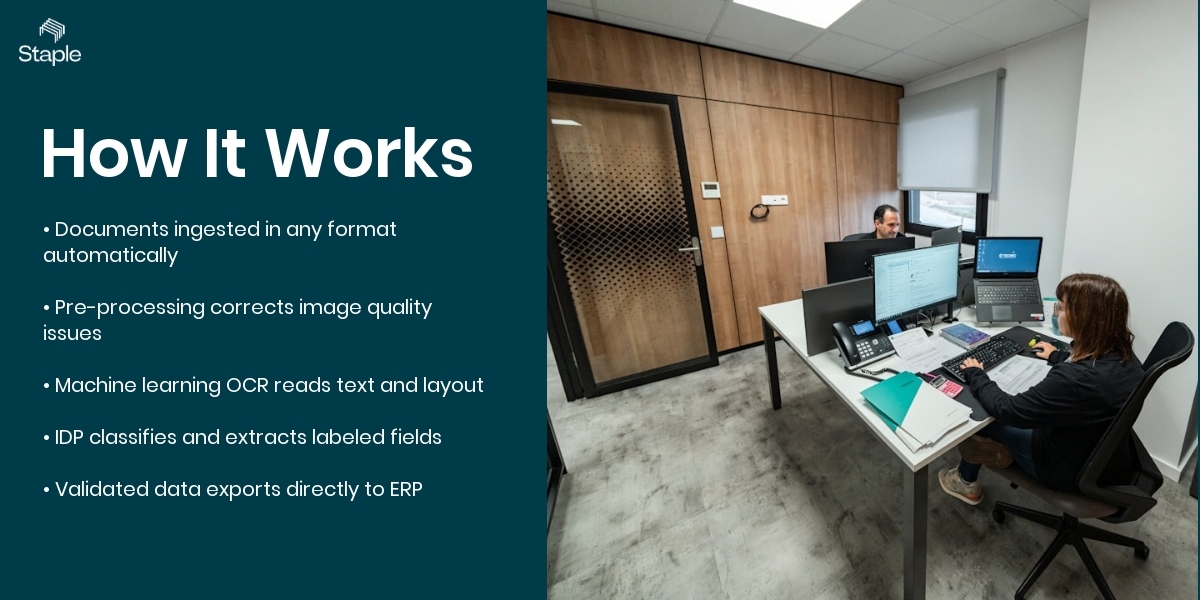
To understand the difference between OCR and IDP, it helps to see how modern document processing actually works in practice.
The process starts with document ingestion. Documents can arrive from anywhere , emails, scanned files, PDFs, images, shared folders, or enterprise systems. Instead of relying on manual uploads, the platform automatically collects these files and prepares them for OCR document processing.
Once documents enter the system, pre-processing begins. Real-world documents are rarely perfect. They might be rotated, poorly scanned, or contain background noise. The system automatically cleans the image, corrects alignment issues, and improves readability so the next stage can interpret the content accurately.
Next comes machine learning OCR. At this stage, the system reads the document and converts text from images into machine-readable data. But modern OCR does more than just recognize characters. It also detects layouts, tables, headers, and sections inside the document so that information can be understood in context.
After the text is captured, intelligent document recognition takes over. This is where IDP differs from traditional OCR. The system identifies what type of document it is , for example an invoice, purchase order, or delivery note , and extracts key fields such as vendor names, dates, totals, and line items.
Finally, the extracted information is validated and exported directly into downstream systems such as ERP or finance platforms. Instead of teams manually entering data from documents, the structured data flows automatically into business workflows.
In simple terms, OCR reads documents while IDP understands them and turns them into usable data for business processes.
Common Challenges (And What Nobody Tells You)
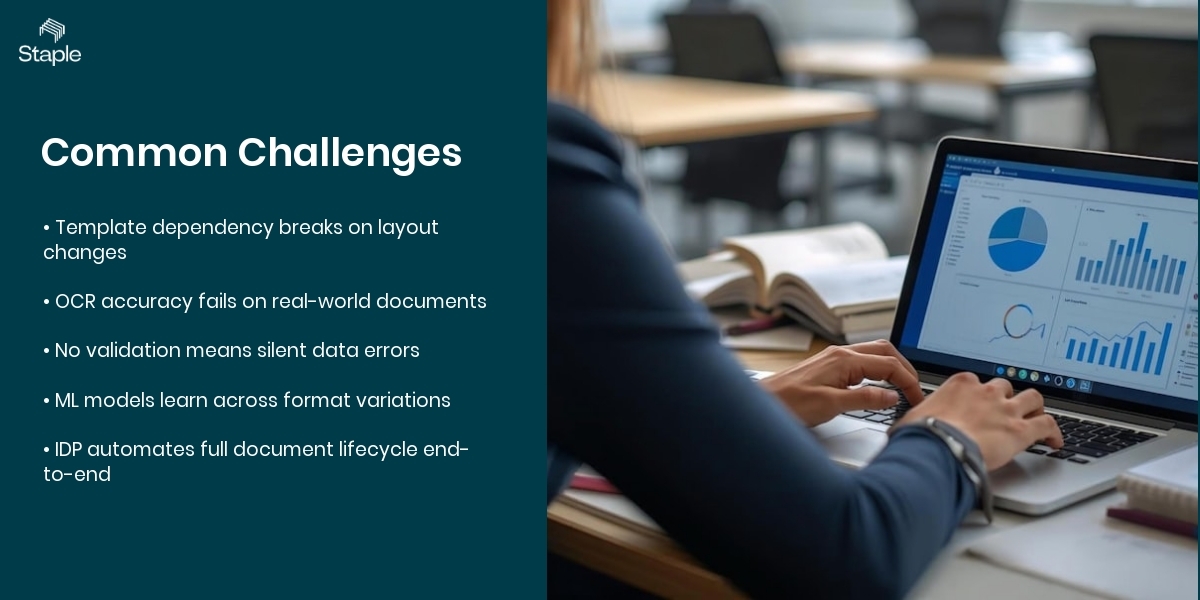
Template dependency in legacy OCR systems. Most traditional OCR tools require a fixed template for every document type. The moment a supplier changes their invoice layout, the extraction breaks and someone has to rebuild the template manually, creating a constant maintenance burden.
Low accuracy on real-world documents. In controlled demos, OCR looks great. In production, documents arrive crumpled, faxed, photographed at an angle, or printed in light ink. Standard OCR accuracy on these drops fast, and errors flow silently into your ERP unless someone is checking every line.
No context, no validation. OCR gives you text. It does not tell you whether that text makes sense. A misread "8" instead of "3" in an invoice total passes through OCR without a flag. Without intelligent validation built into the document processing pipeline, these errors only surface when a payment is wrong or an audit finds a discrepancy.
How Modern Document Automation Solves This
Modern IDP platforms solve the template problem by training machine learning models on large volumes of real documents. Instead of coding rules for each layout, the system learns to recognize fields across hundreds of format variations. This is what makes intelligent document recognition genuinely different from OCR. It adapts. It learns from corrections. It gets more accurate over time, not less.
Staple AI is built on exactly this principle. The platform covers the full document lifecycle, from ingestion and pre-processing through to extraction, intelligent table recognition master data mapping, and direct export to your ERP or finance system. When a new document format arrives, the model does not break. It classifies the document, extracts what it can, and flags only genuine exceptions for human review. That review loop then feeds back into the model to improve future accuracy.
For finance teams dealing with invoice management across multiple suppliers and geographies, this means dramatically fewer manual interventions. In my experience, teams that move from OCR-only pipelines to full IDP typically see straight-through processing rates climb above 80%, meaning four out of five documents are handled end-to-end without any human touch. That is a real operational shift, not a marketing promise.
Real Numbers: What the Data Says
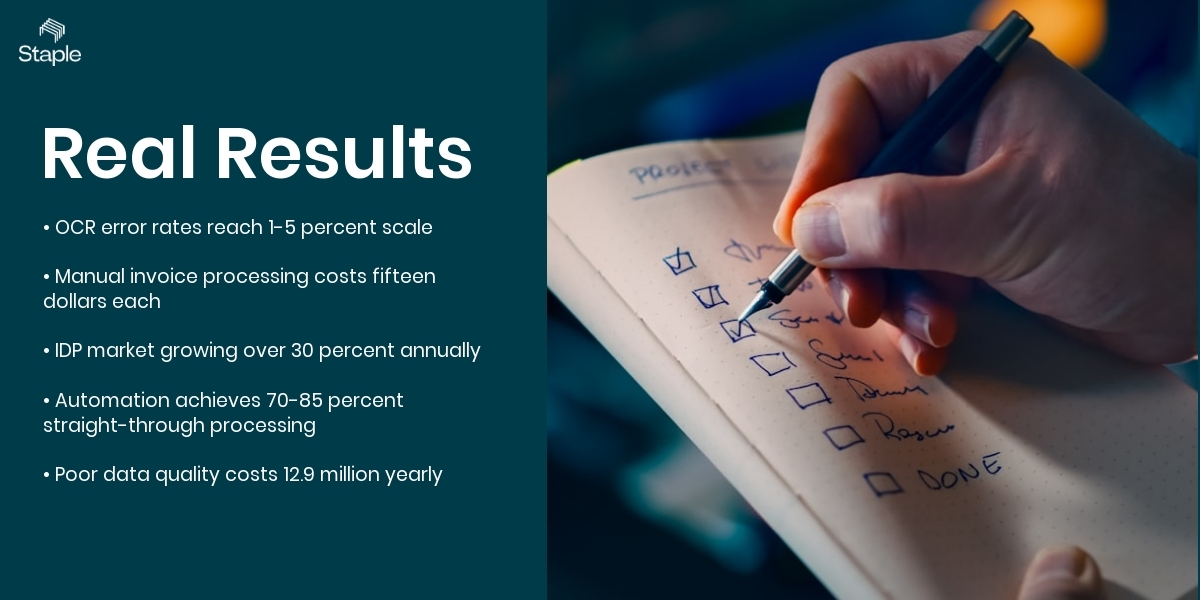
OCR error rates remain a persistent problem at scale. According to ABBYY research, even modern OCR systems can produce error rates of 1-5% on standard documents, and significantly higher on poor-quality scans. For a company processing 50,000 invoices per month, a 2% error rate means 1,000 incorrect extractions every single month requiring manual correction.
Manual invoice processing costs are unsustainable. According to the Institute of Finance and Management (IOFM), companies that have not automated their AP process spend an average of $15 per invoice to process it manually. Organizations with best-in-class automation bring that cost below $3. That is an 80% cost reduction available to any enterprise willing to move beyond basic OCR.
IDP adoption is accelerating. According to Gartner, the intelligent document processing market is projected to grow at a compound annual growth rate (CAGR) of over 30% through 2025. Enterprises in financial services, manufacturing, and logistics are driving the majority of that growth as they replace legacy OCR implementations with full AI-powered pipelines.
Straight-through processing is the measurable goal. McKinsey research on finance automation indicates that companies implementing end-to-end document automation achieve straight-through processing rates of 70-85% for structured documents like invoices and purchase orders. Teams still using template-based OCR typically achieve rates below 40%, meaning the majority of documents still require human handling.
Data entry errors cost enterprises significantly. According to IBM, poor data quality costs organizations an average of $12.9 million per year. Much of this originates in document ingestion, where OCR without validation introduces errors that compound as they move through financial systems.
Frequently Asked Questions
Is OCR still useful if I have IDP?
Yes. OCR is a core component inside every IDP system. The difference is that in IDP, OCR does not work alone. It feeds into machine learning models that interpret, classify, and validate what OCR reads. You do not choose between them. You choose whether OCR is your complete solution or just one layer in a smarter pipeline.
Can IDP handle handwritten documents?
Modern IDP systems with trained machine learning OCR models can handle handwriting with reasonable accuracy, particularly for structured fields like dates, amounts, and names. Accuracy depends on the quality of training data and the legibility of the handwriting. IDP handles handwriting far better than traditional OCR, which struggles with it significantly.
How long does it take to implement an IDP solution?
Implementation timelines vary by vendor and complexity, but most enterprise IDP deployments for invoice or purchase order processing take between four and twelve weeks to go live. Platforms with pre-trained models for common document types like invoices and contracts deploy faster than those requiring custom model training from scratch.
What is intelligent document recognition and how does it differ from standard OCR?
Intelligent document recognition refers to the ability of a system to understand what a document is, what its structure means, and how to extract specific fields without being told exactly where they are on every layout. Standard OCR reads characters. Intelligent document recognition understands meaning, document type, and data relationships using machine learning and NLP.
Does IDP replace my ERP or AP system?
No. IDP sits upstream of your ERP or AP platform. It handles the document ingestion, reading, extraction, and validation steps, then delivers clean structured data to your existing systems via API or direct integration. Think of it as the intelligence layer that feeds your ERP with accurate data, rather than a replacement for the systems you already run. You can read more about how this fits into finance process automation more broadly.
How Staple AI Can Help
Staple AI is built specifically for enterprise document processing across the full lifecycle. The platform handles ingestion of documents in any format, applies AI-powered pre-processing to clean and prepare files, and uses trained machine learning models to classify, extract, and validate data without rigid templates. Key capabilities relevant to the OCR vs.
IDP question include custom model creation for your specific document types, intelligent table extraction for complex line-item data, master data mapping to align extracted values with your vendor and GL codes, and auto-reconciliation to match documents across your AP and AR workflows. Staple AI also supports document translation for multinational teams processing invoices in multiple languages.
Implementation is straightforward. Staple AI connects to your existing ERP, finance system, or AP platform via API, with pre-built integrations including SAP Concur. Most enterprise customers are processing live documents within four to eight weeks.
The platform is SOC2 Type II certified, which matters if your procurement or legal team is going to ask hard questions about data security and residency. If you want to understand what responsible AI looks like in document automation, the AI transparency standards we hold ourselves to are worth reading.
If your team is currently using OCR-only tools and wondering why accuracy is still a problem, or if you are evaluating document processing vendors for the first time, the best next step is a direct conversation with our team. Visit Staple AI's accounts payable automation page to see how the full IDP pipeline works in practice, or reach out to book a live demo with real documents from your own environment.

.png)