January '26
New yer and powerful new releases.
January’s release focuses on improving reconciliation clarity, model flexibility, document navigation, export reliability, and global readiness. These updates reduce manual work, remove workflow friction, and give users more control over how documents are viewed, edited, reconciled, and exported.
Scanned Document View in Reconciliation
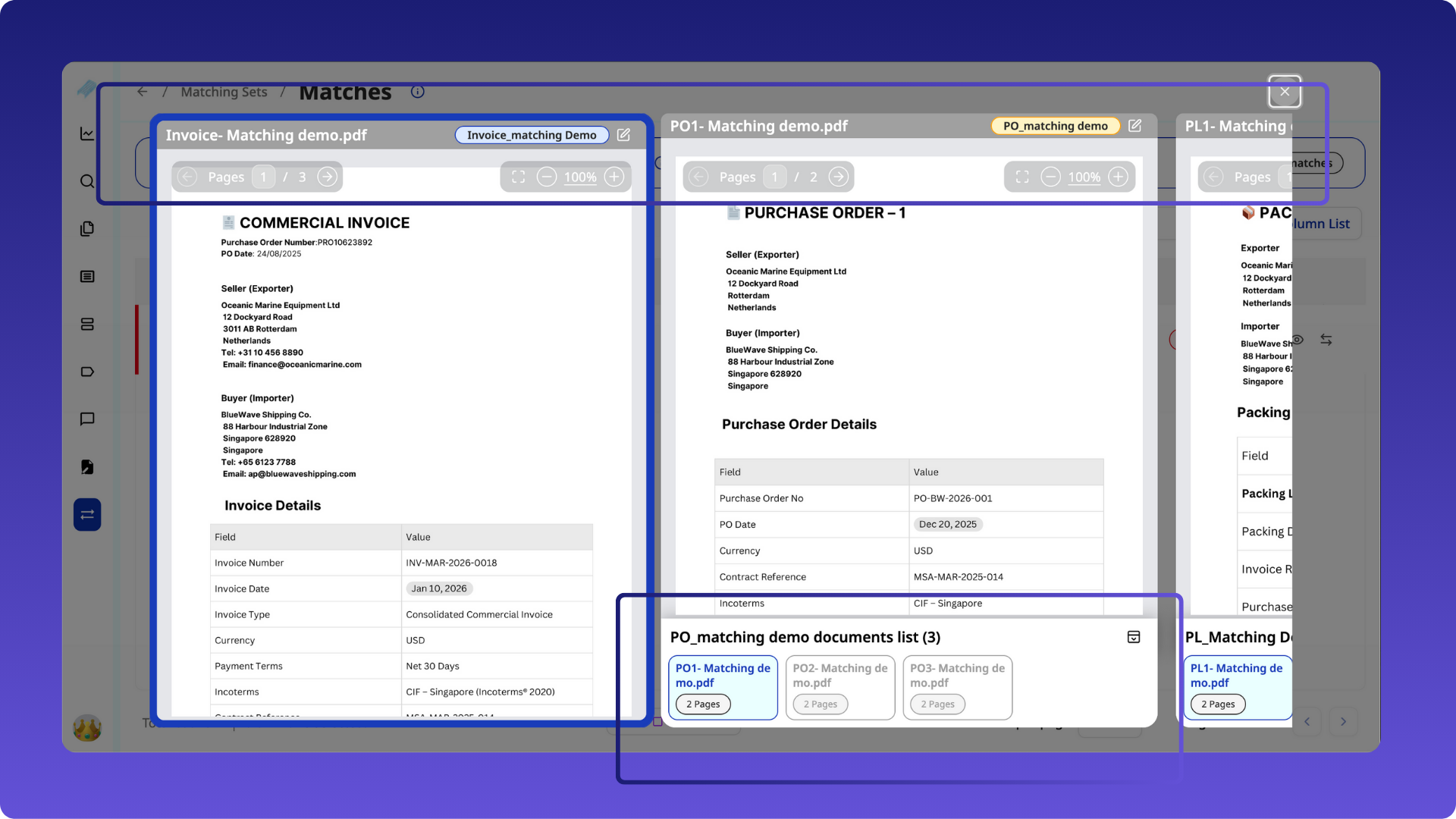
During reconciliation, users had limited visibility into the original source documents and their related matches. Verifying values often required navigating away or manually locating documents, slowing down reconciliation and increasing error risk. To eliminate this, we've launched scanned document view in Reconciliation.
How it works
- A new “eye” icon is available under Actions in:
- Matches view
- Matches list
- Reconciled view
- Clicking the icon opens the scanned document view, showing:
- The anchor document (for example, Invoice)
- All related matching documents (for example, Purchase Orders, Delivery Orders)
- Supports:
- Zoom
- Edit
- Redirection to the specific document
- Multiple matching types are supported:
- Type 1: doc1, doc2, doc3 (thumbnail view)
- Type 2: doc1, doc2, doc3 (thumbnail view)
- Type 3 and beyond — up to 10 document types
Example:
In a three-way match scenario (Invoice, Purchase Order, Delivery Order), users can view the invoice alongside all its matching POs and delivery orders in one place.
Benefits
- Faster reconciliation decisions
- Reduced context switching
- Easier validation of extracted and matched values
Sidebar Field Reordering in Custom Models
Users previously had to rely on numbering field names to maintain sidebar order, making models harder to manage as they evolved. A new reorder icon is available in the sidebar field list for custom models
Users can:
- Open the sidebar field list popup
- Rearrange fields
- Save changes by clicking Complete
Benefits
- Sidebar order can evolve as models grow
- No need to rename or renumber fields
- Better usability during document editing
Applicable Use Cases
- Custom models with frequently changing fields
- Large models where field order impacts productivity
Germany E-Invoice Support (Peppol integration)
In Germany and parts of Europe, invoices cannot be reliably ingested via email forwarding due to regulatory and technical constraints. Hence, Germany launched e-invoicing via PEPPOL. Staple AI quickly integrated with Peppol to help transfer the documents and stay compliant.
How it works
- Staple integrates with Peppol
- Invoices are received via the Peppol network in XML
- PO invoices, Non-PO invoices, credit notes and problematic invoices are then auto classified by Staple AI
- Traditional and hybrid invoices (PDF invoices with XML version attached) can be ingested by Staple AI through any channel and processed
- Acts as a compliant ingestion path for Germany e-invoices
Benefits
- Regulatory-compliant e-invoice ingestion
- Eliminates reliance on email forwarding
- Enables expansion across EU markets
- Completely cuts down data entry and classification efforts.
Edit Document Page Layout Preference
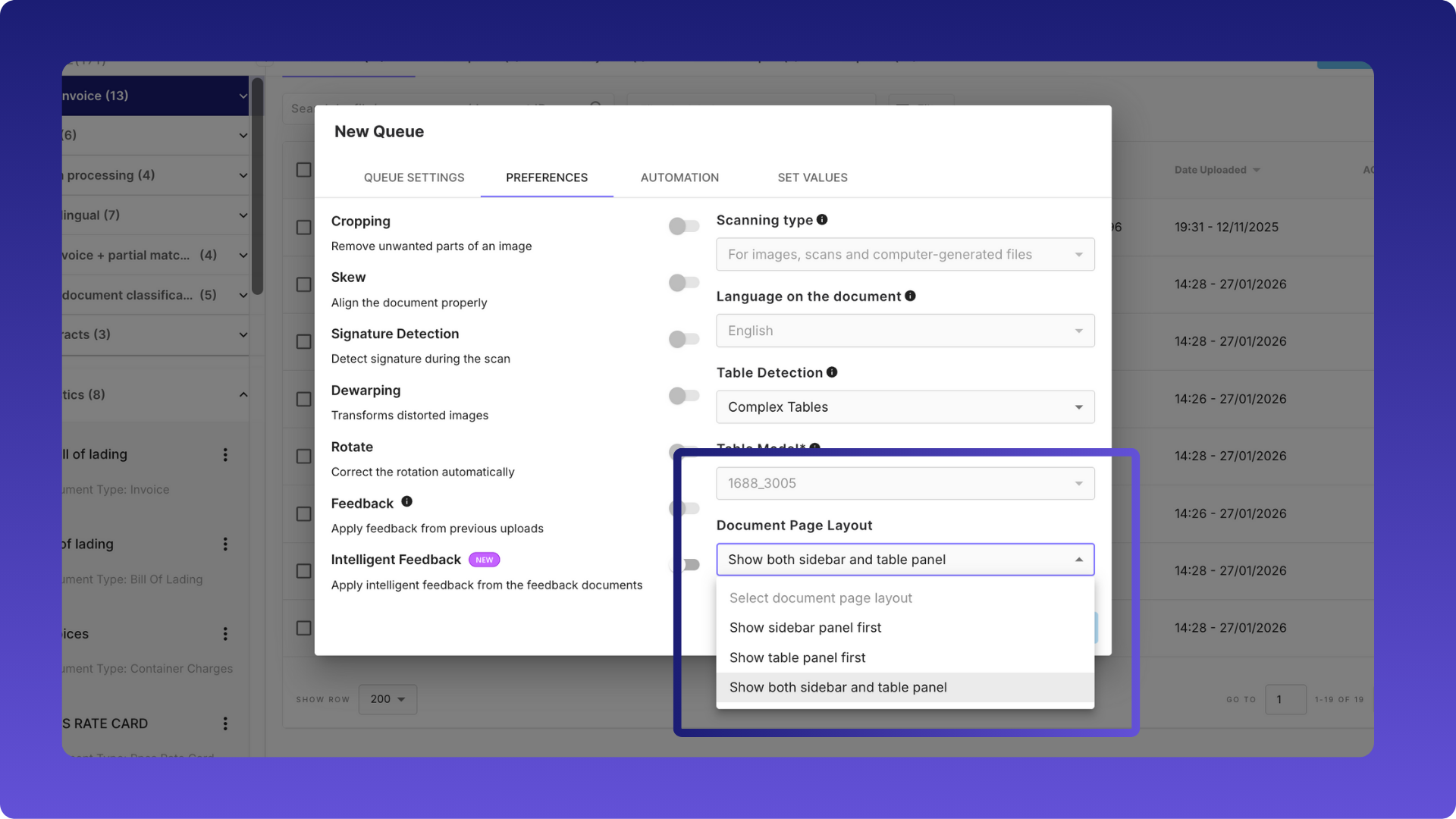
Users working with complex tables had to repeatedly close or switch panels to reach their preferred view, slowing down document editing. A new queue-level preference allows users to define how the Edit Document page opens:
Options:
- Show sidebar panel first
- Show table panel first
- Show both sidebar and table panel
Configured via:
Queue Settings → Preferences → Edit Document Page Layout
Benefits
- Faster access to the most relevant panel
- Reduced repetitive UI actions
- Improved editing experience for complex documents
Product Localisation
Global teams were forced to use the platform in English, limiting adoption and usability in non-English regions. Henceforth, they can use Staple AI in their native language.
How it works
- Full frontend migration to an i18n framework
- Supported languages:
- English (US/UK)
- Simplified Chinese (zh-CN)
- Japanese (ja-JP)
- All UI text replaced with translation keys
- Locale-specific date and time formatting
Benefits
- Users work in their preferred language
- Better usability for international teams
- Supports expansion in China and Japan
Applicable Use Cases
- Multi-country finance and operations teams
- AP teams operating in local languages
Move Documents Between Received and Uploaded States
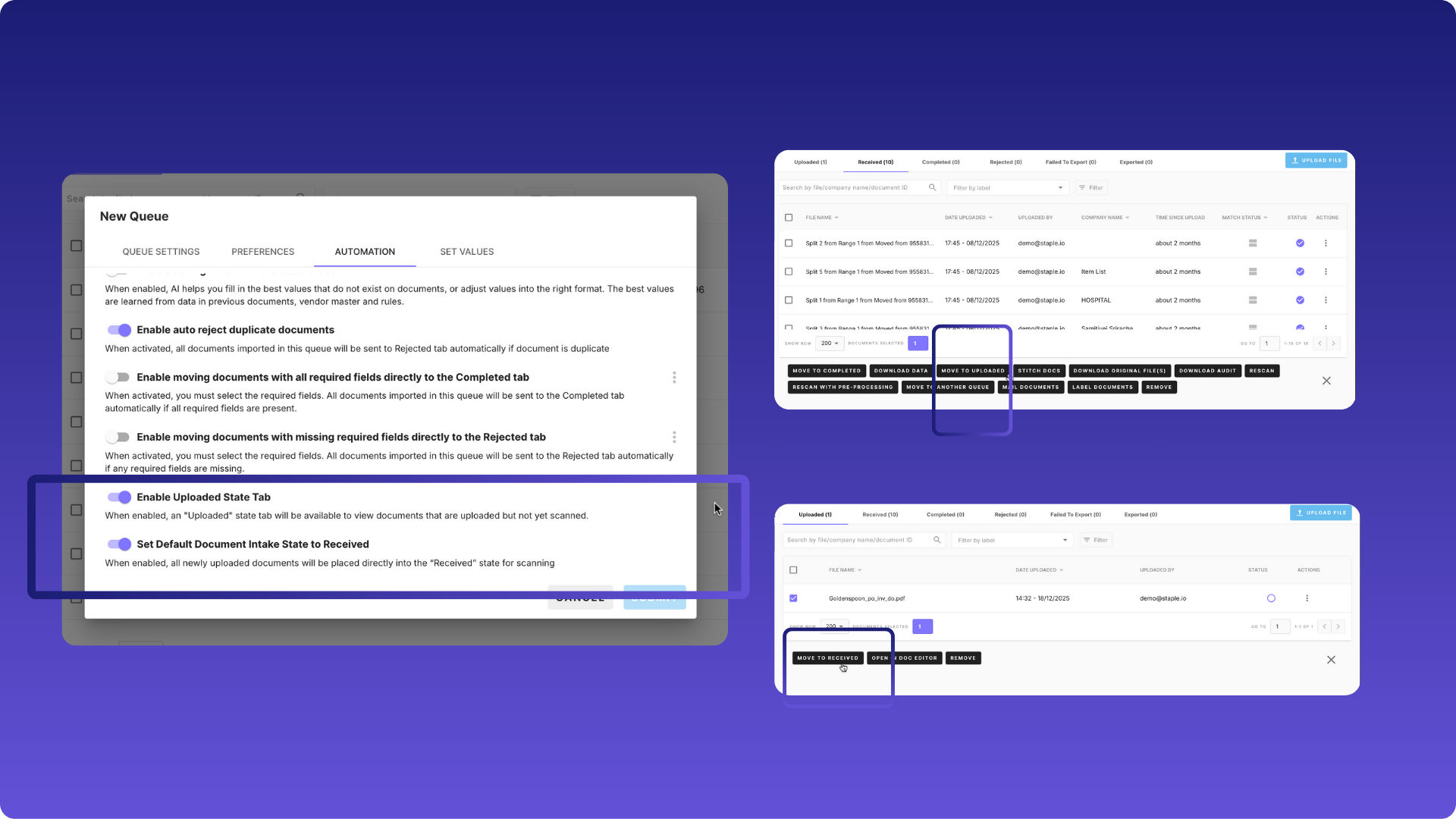
Document intake states were rigid, limiting flexibility when users needed to correct where documents sat in the workflow.
How it works
- New option to set default intake state to “Received”
- Users can:
- Move documents from Received → Uploaded
- Move documents from Uploaded → Received
- Documents in the Uploaded tab can now be deleted
Benefits
- More control over document intake flow
- Easier correction of ingestion mistakes
- Cleaner queue management
Minor enhancements
Automatic Export for Manually Completed Documents
Automatic export previously:
- Did not trigger for documents manually moved to Completed
- Required a confusing completeness ≥100% check
This caused operational friction and manual exports.
How it works now:
- Documents moved to Completed (manually or automatically) are now eligible for auto-export
- Completeness checks are removed
- Export triggers when Auto-export is enabled
QR Code Scanning (Size-Agnostic)
.png)
Small or irregularly sized QR codes were not reliably scanned. QR codes are now scanned regardless of size
- Improved data capture accuracy
- Better support for logistics and shipping documents