
No-Code Configuration
Process docs yourself, without writing a line of code.
New supplier, new document type, new rule: in most tools that means a template build or an engineering ticket. In Staple, a business admin builds the model, sets the fields, defines the rules, and maps the data directly in the product. No templates, no code, no waiting on a sprint.
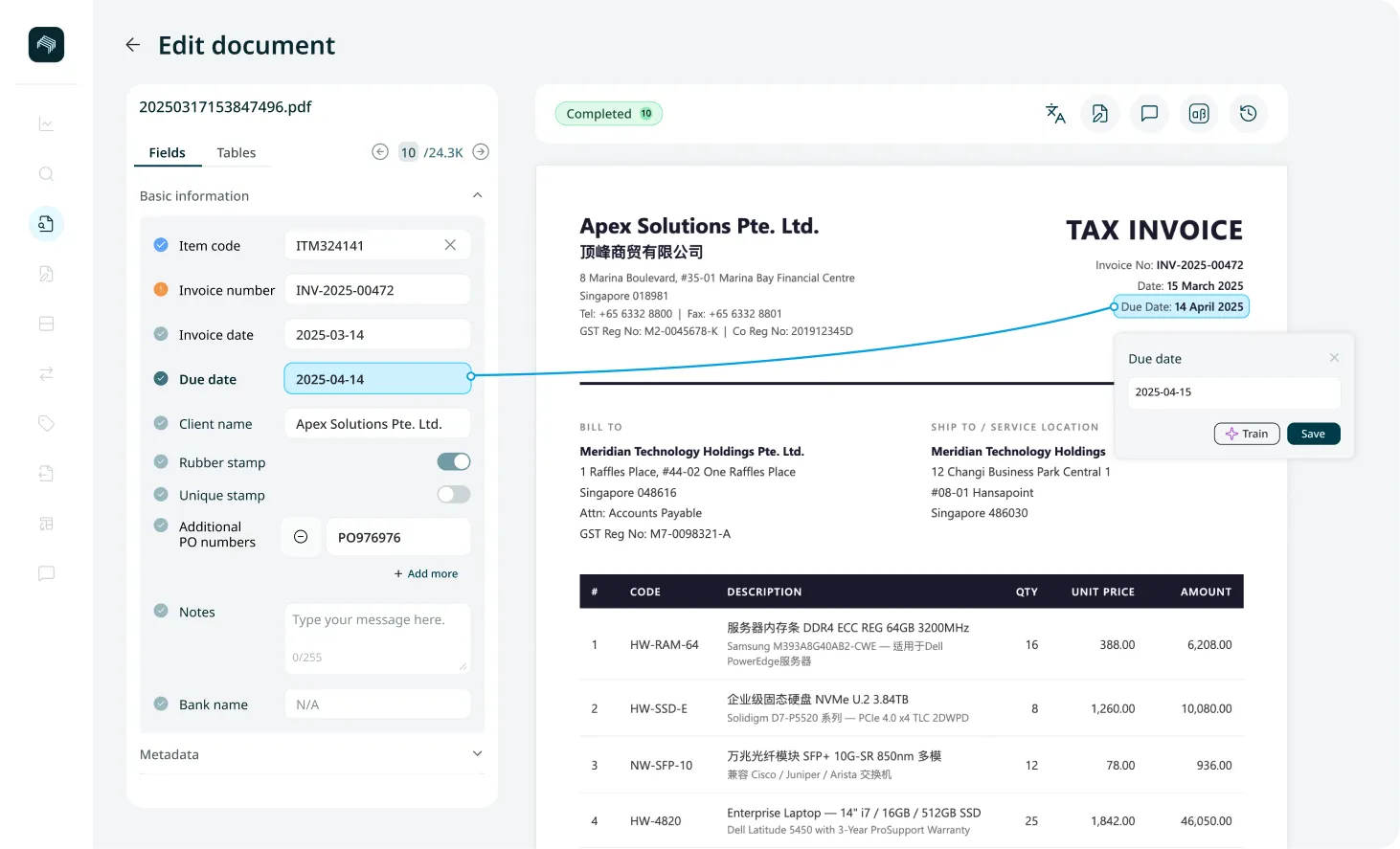
Every new document shouldn't need a developer.
In template-based tools, each new supplier layout or document type is a configuration project, and each change to a rule waits behind an engineering backlog.
The people who understand the documents, finance and operations teams, can't make the change themselves, so processing falls behind the business it's meant to serve.
How Can You Process Without Code
Model Builder
Define what a document type looks like in a visual builder: its fields, line-item headers, and data types.
Arrange fields with drag-and-drop, and set each field as editable or locked at the model level, so reviewers can change what they should and never touch what they shouldn't.
No configuration files, no prefixed numbering, no code.
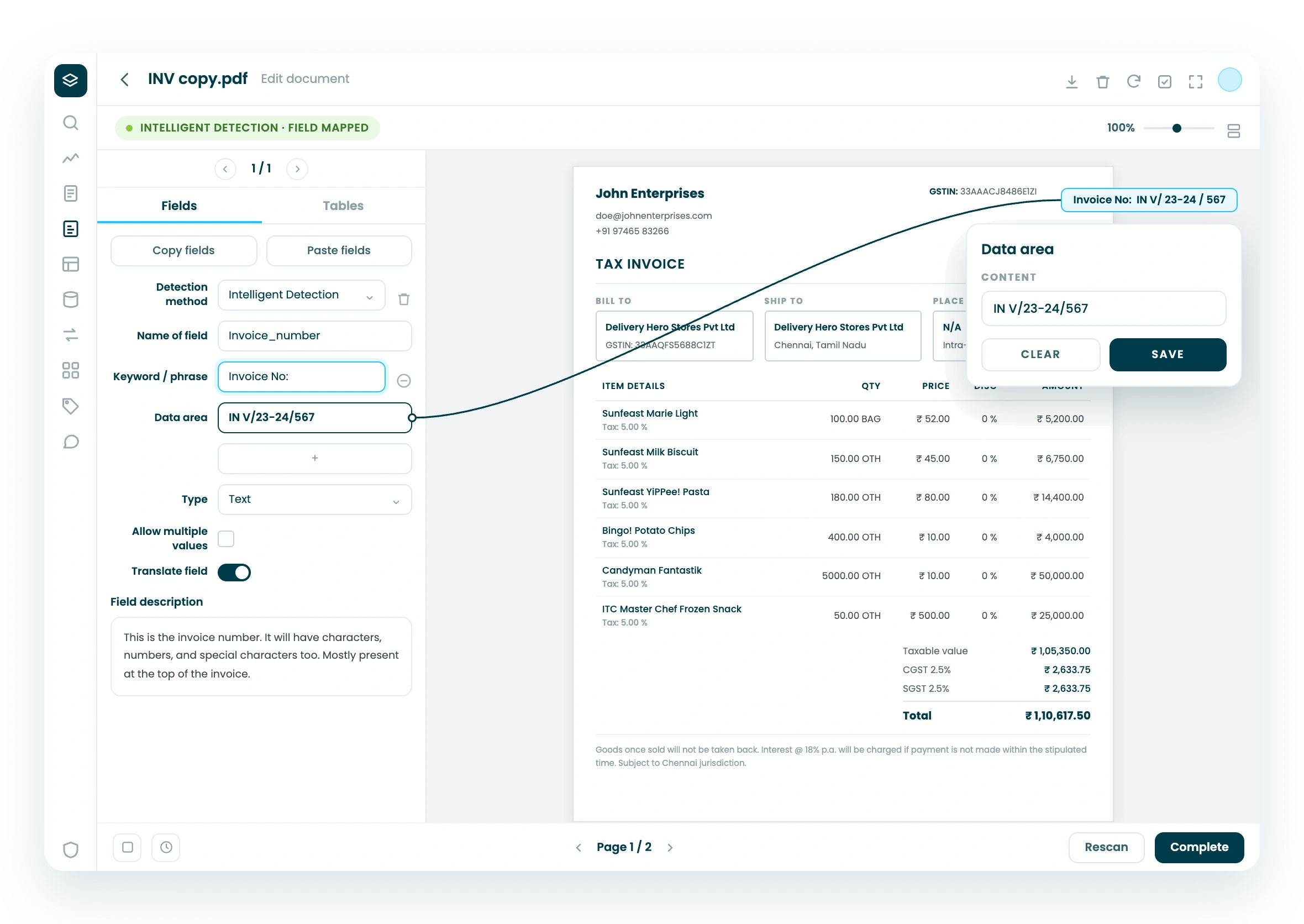
Queue Rules
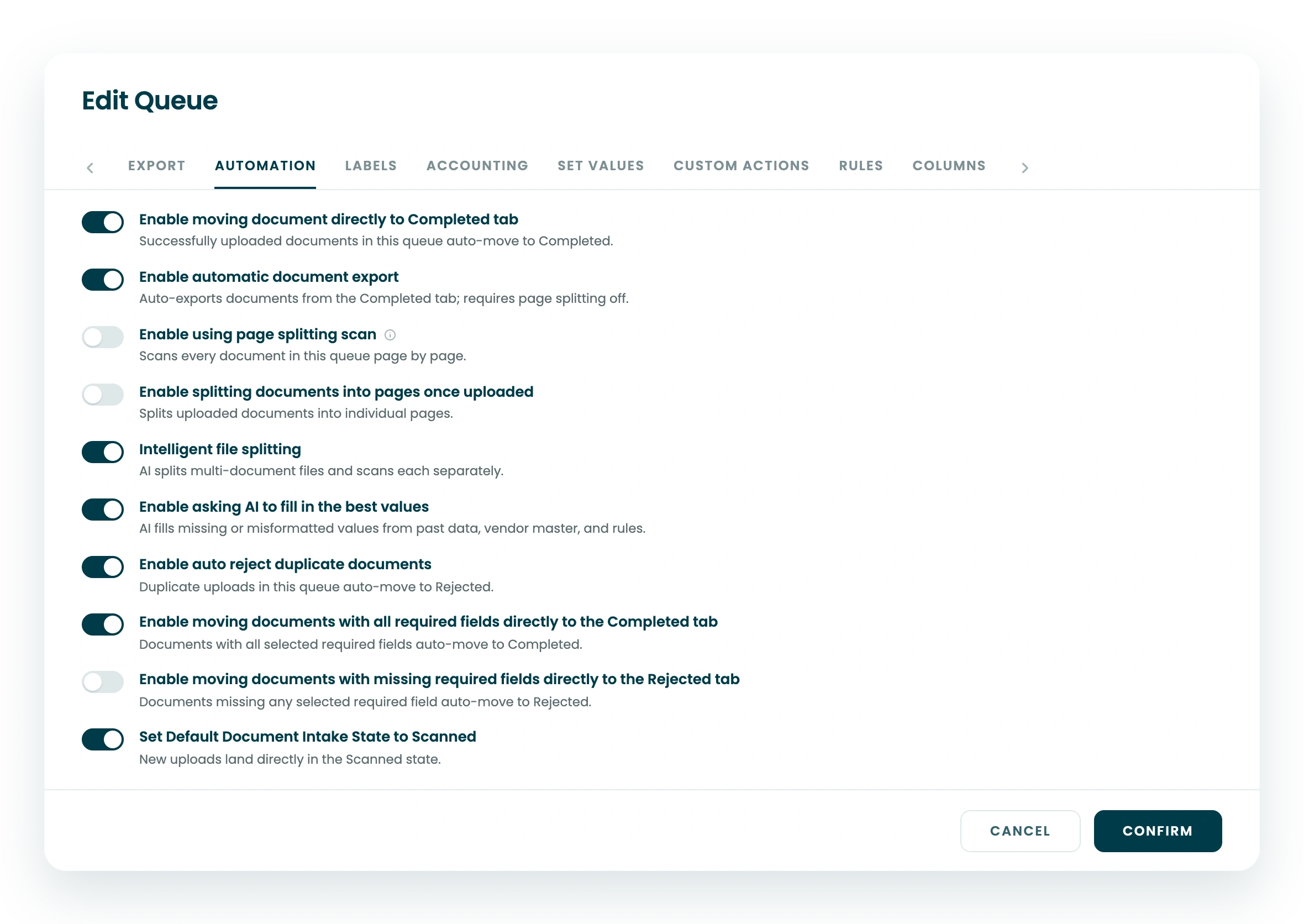
Apply rules to documents after scanning: validate values, set default or derived values onto sidebar fields, and route documents by outcome.
Rules are defined in the interface and assigned to a queue, so the same logic runs consistently on every document without a developer writing it.
Self-Serve Data Mapping and Enrichment
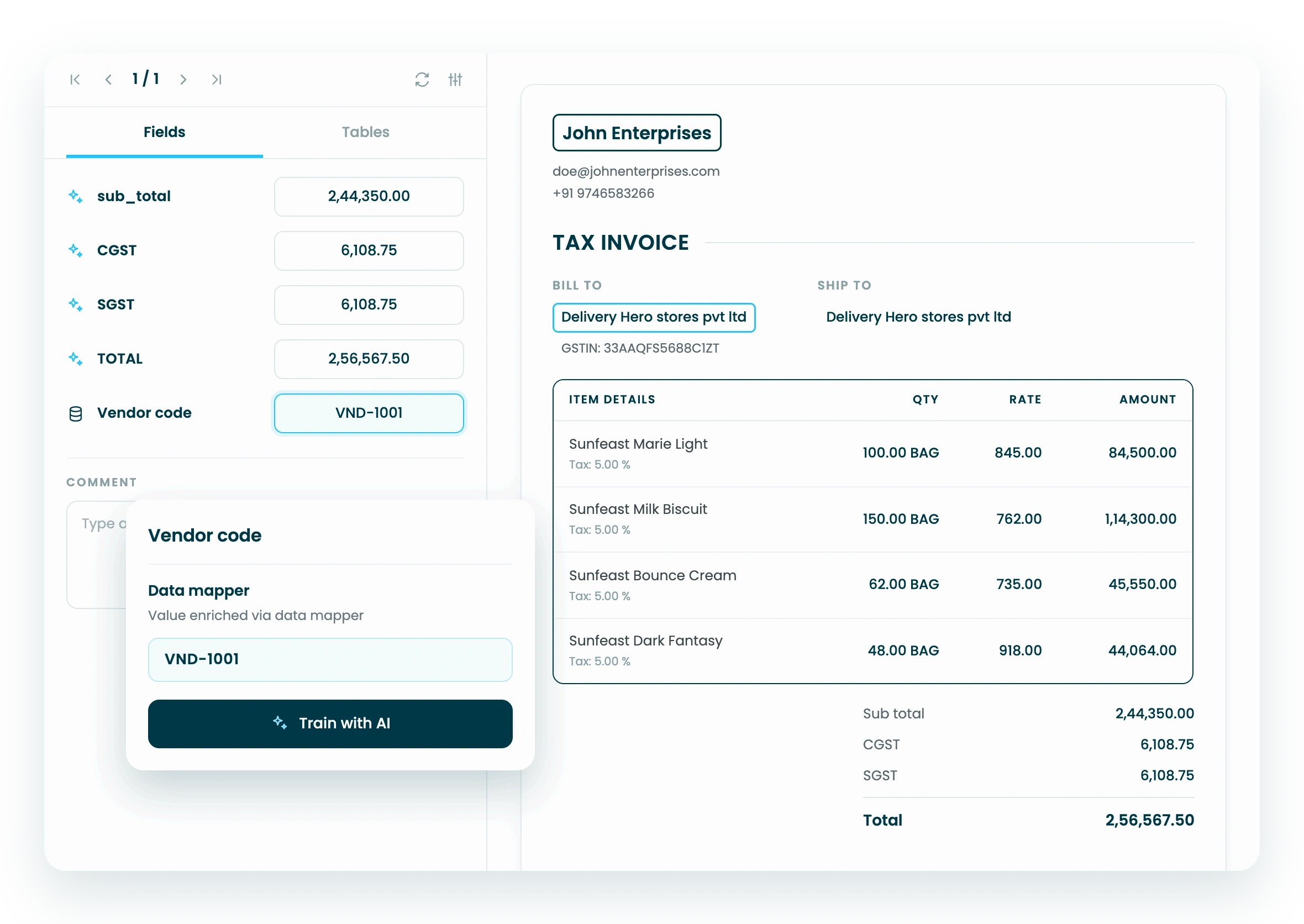
Set up mapping rules that complete data automatically, such as looking up a vendor code from a vendor name, or an item description from an item code, against your master data.
Build the rule, choose the field it writes to, and assign it to a queue. Enrichment then fills the values as documents are processed.
Field Types That Match the Data
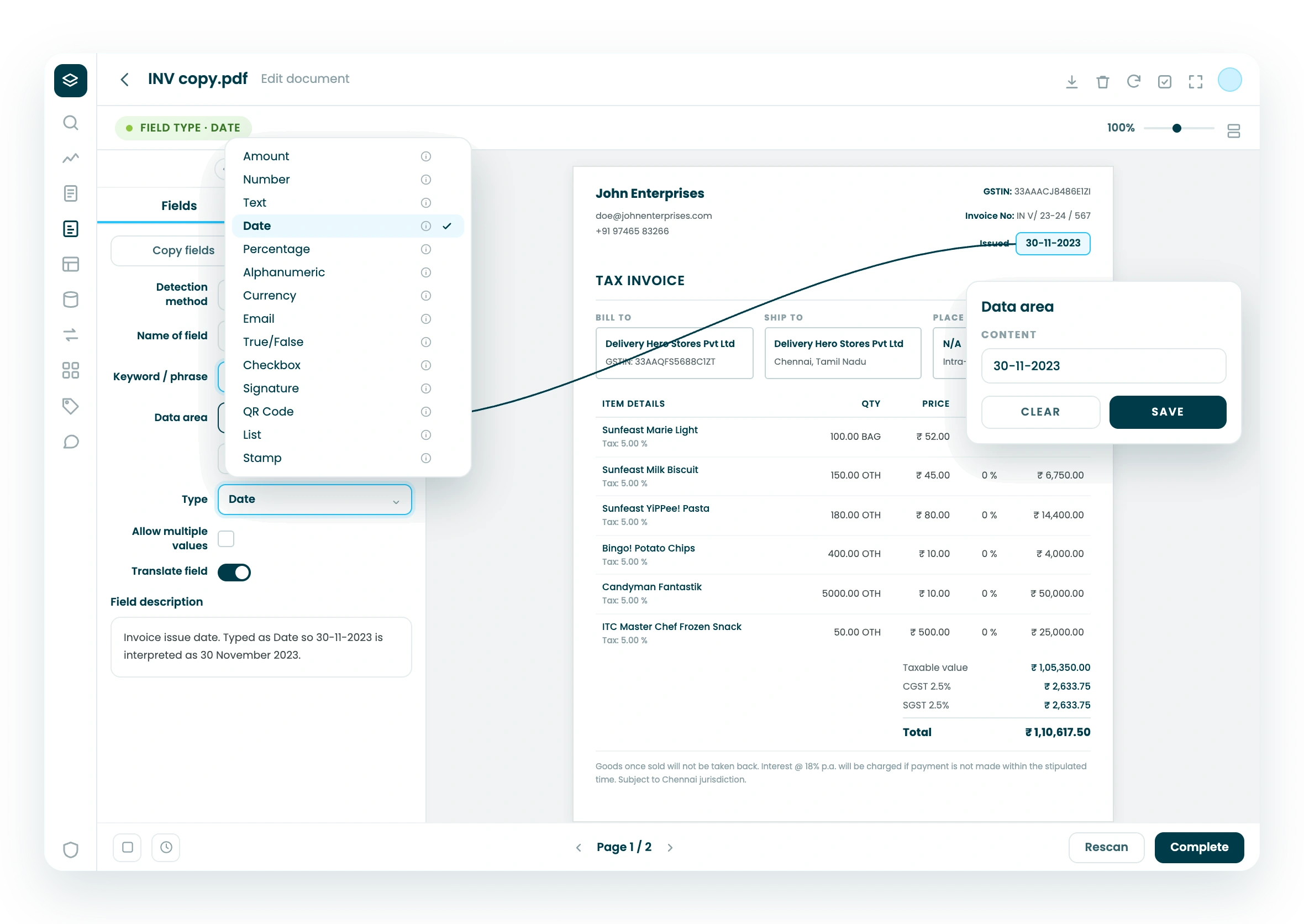
Assign a data type to every field when you build the model: date, time, number, country code, QR code, and more.
Staple then reads each value as what it actually is, so a date is parsed as a date and a code is validated as a code, rather than everything arriving as loose text your systems have to clean up.




Business Rules & Anomaly Detection
Apply your own rules to headers and line items, and flag exceptions.

See how fast you can configure your own documents.
Book a 30-minute demo. Bring a document type you'd normally wait weeks to support, and we'll model it live.
FAQ
What can be configured without code in Staple?
Business teams can build and edit document models, add, arrange, and lock fields, set queue rules for validation and routing, define set-value rules, and configure data mapping and enrichment against master data, all through a visual interface. No templates and no per-document code are required.
What is the Model Builder?
The Model Builder is where an admin defines what a document type looks like: its fields, line-item headers, data types, and which fields are editable or locked. Fields are arranged with a drag-and-drop interface, so adjusting a model does not require engineering or manual configuration files.
Can we set our own validation and mapping rules?
Yes. Queue rules apply validation, set values, and routing to documents after scanning, and the self-serve data mapper lets you define rules such as looking up a vendor code from a vendor name, then assign those rules to a queue, without developer help.
How fast can we support a new document type or supplier?
Because configuration is no-code and template-free, a new document type or supplier is supported by adjusting the model and rules in the interface, in minutes rather than a development cycle. Context-based extraction means a new layout does not require a new template.
Do business teams need engineering support to make changes?
No. The configuration is designed for business and operations admins. Building models, locking fields, setting rules, and mapping data are all done in the product, so teams adapt processing themselves without raising engineering tickets.