
Intelligent Tables
Turn complex tables and unformatted text into structured data.
Line items rarely arrive in clean rows and columns. Staple reads nested headers, multi-page tables, mixed table types, and even lists buried inside paragraphs, and returns structured, validated line-item data. No template to build, no layout to predict.
The data you need most is trapped in the messiest part of the document.
Line items are where the money is, and where extraction fails.
A statement runs a table across six pages. Headers are nested two levels deep.
One invoice holds three different table types. A delivery note lists items in a sentence, not a grid.
Conventional table extraction assumes clean structure, so it captures the header and mangles the detail, and someone re-keys the rest by hand.
How Staple reads the tables that break other tools
Complex-layout Extraction Capability
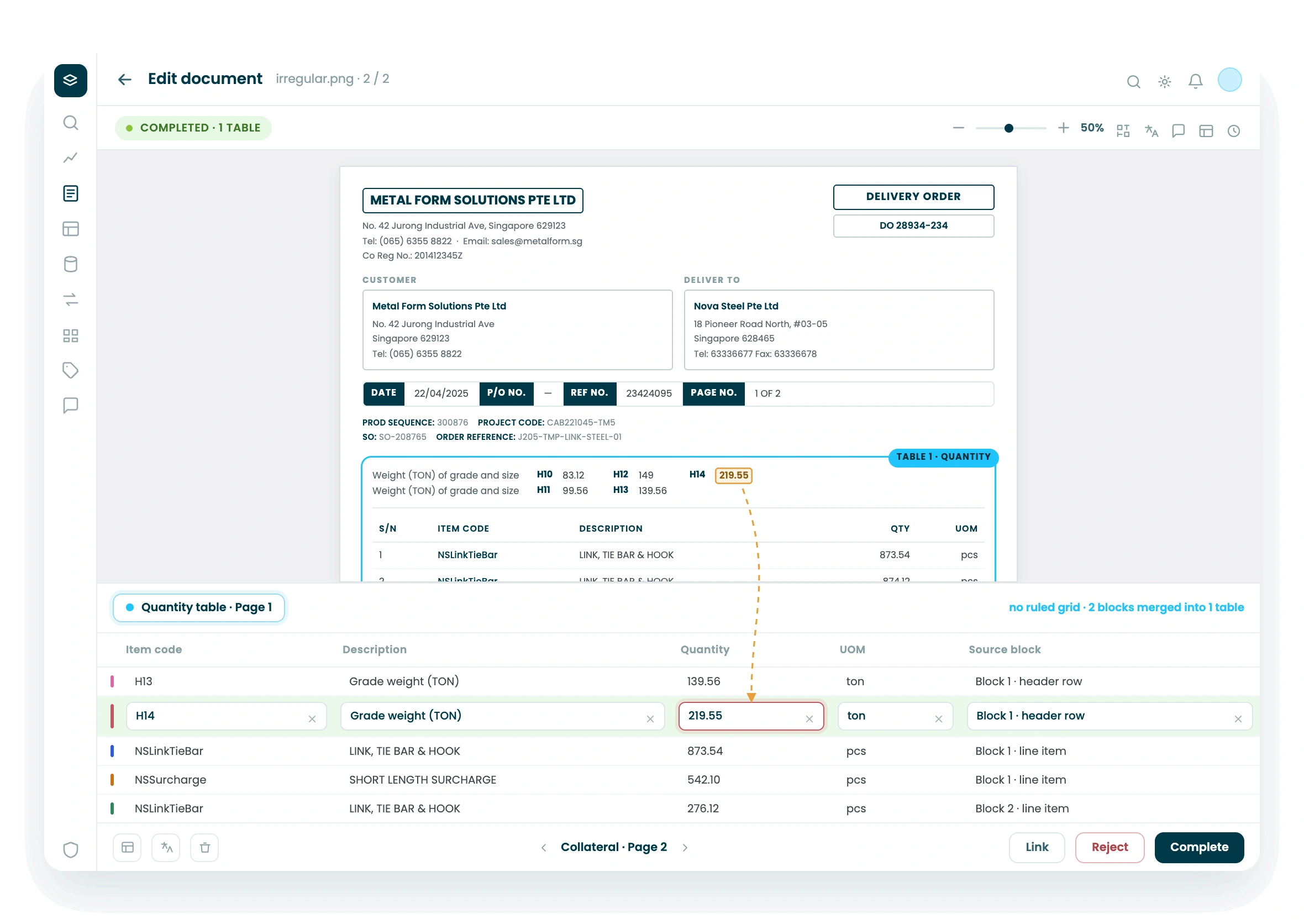
Nested headers, repeated sections, multi-page and irregular layouts
Staple reads tables that don't follow the rules: multi-level headers, sections that repeat down the page, tables that span pages, and layouts where columns shift partway through. Line items are captured even when the structure isn't clean or consistent.
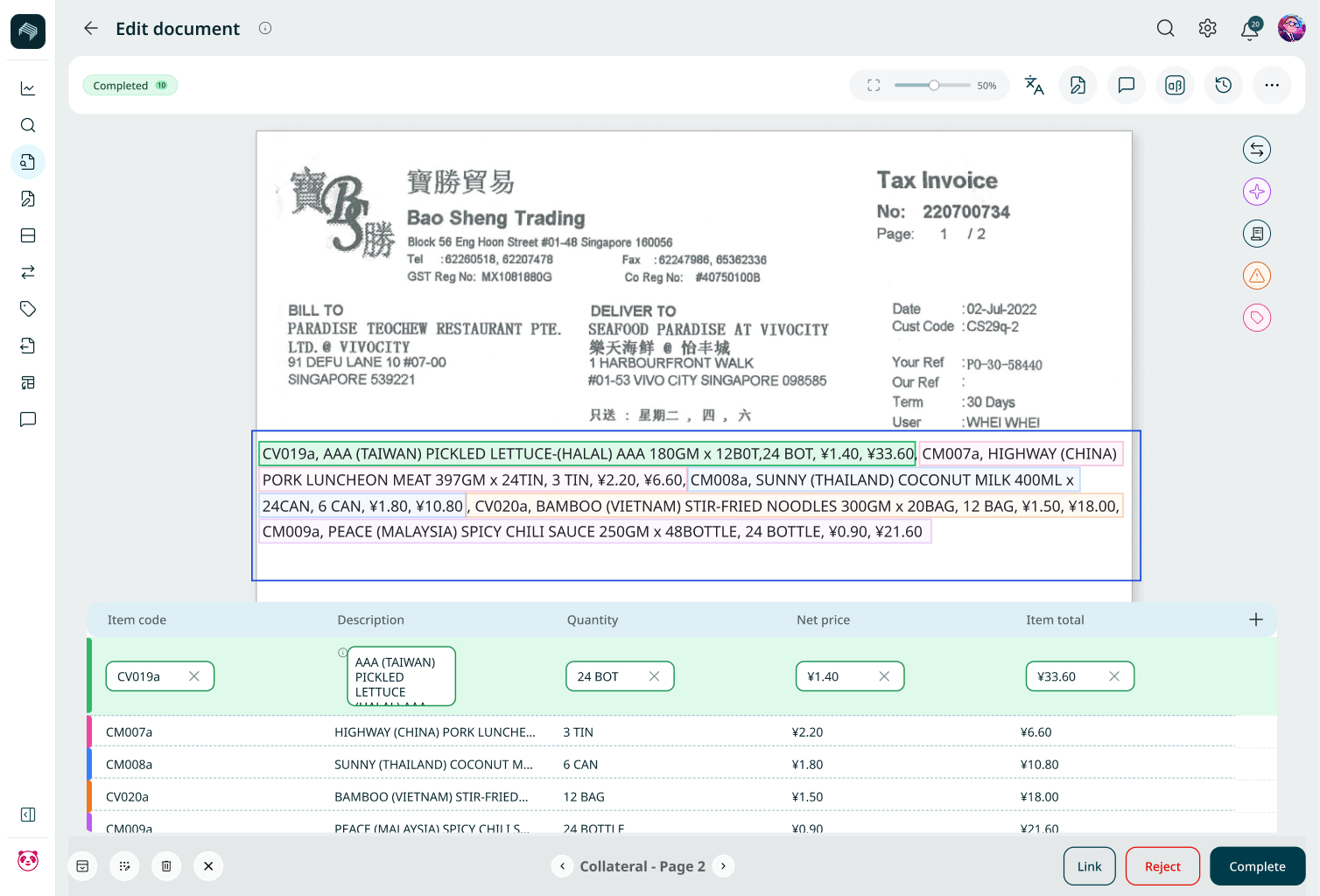
Narrative-to-Table Conversion
Pulls structured line items out of plain paragraphs.
When items are written into a paragraph instead of a table, a description with quantities and prices buried in a sentence, Staple converts that narrative into structured line-item rows. Information that was never in a table still comes out as one.
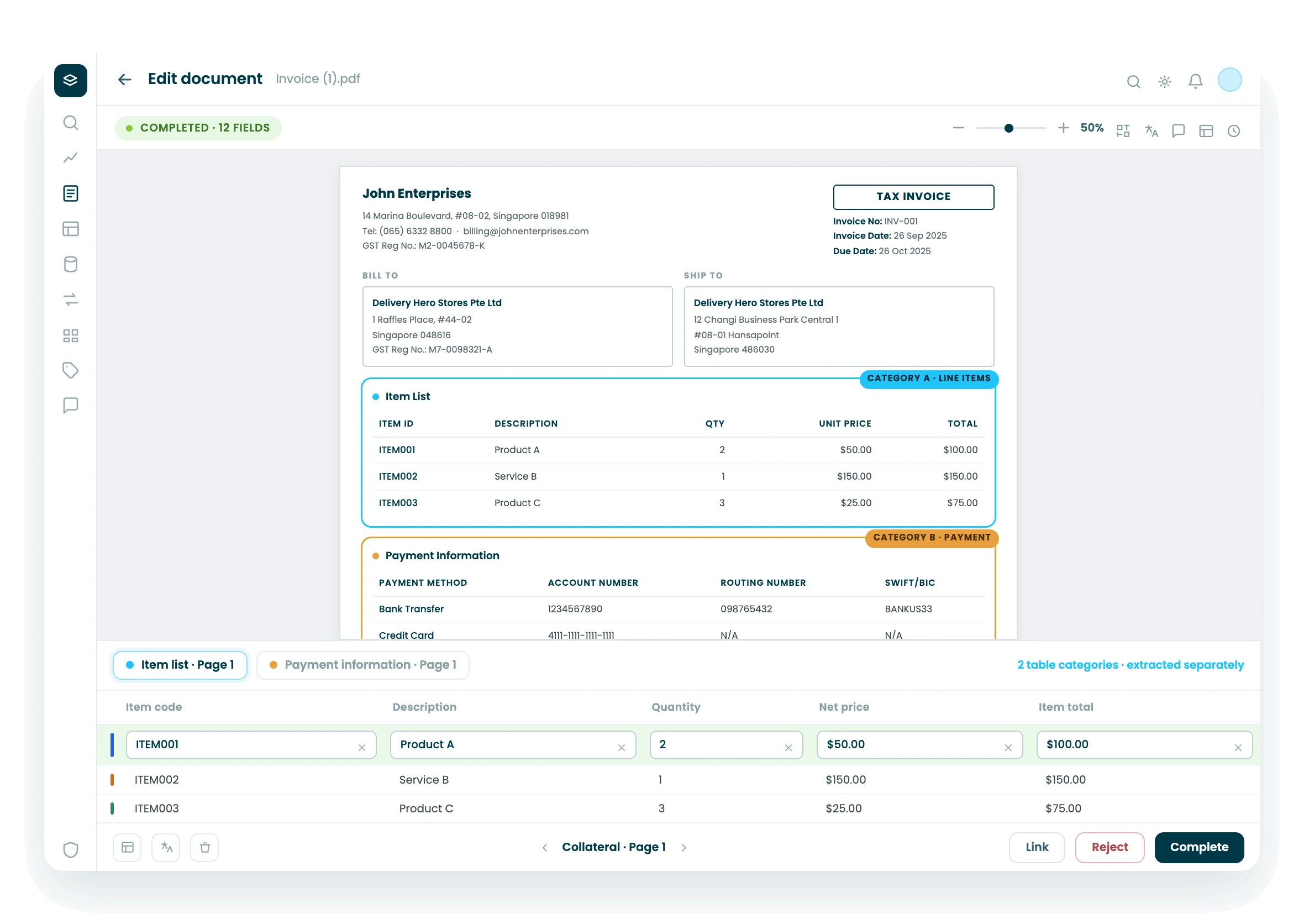
Multiple Table Categories in one Document
Separates different table types in the same statement.
A single statement or report can contain several distinct tables: charges, adjustments, summaries. Staple identifies each category and extracts them separately, so different tables in one document don't collapse into a single confused output.
Line-item Relationships, Totals, and Validation
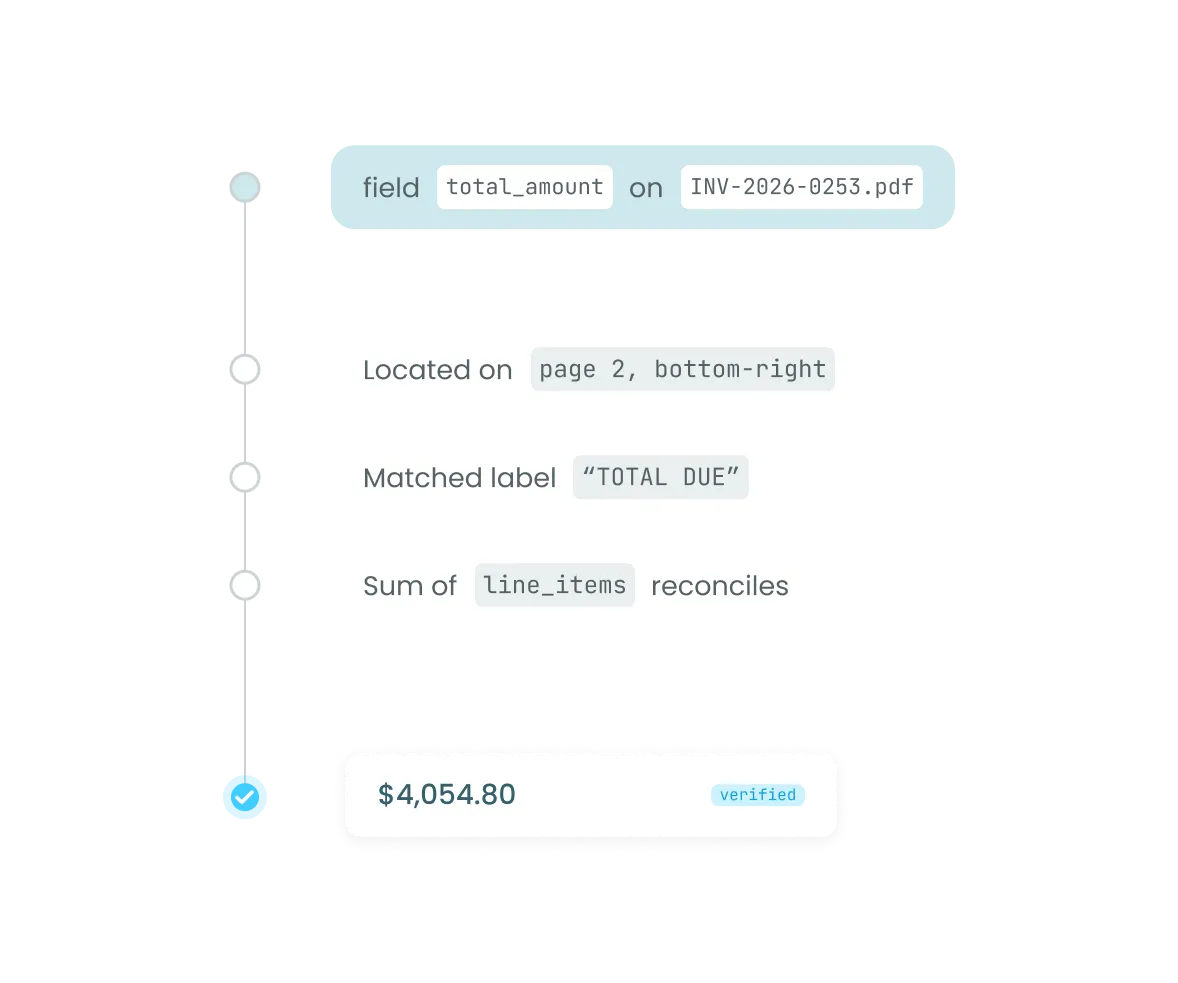
Checks the numbers add up.
Staple preserves the relationships between line items, subtotals, and totals, and validates that they reconcile. A line-item table whose rows don't sum to the stated total is flagged, so a broken table is caught at extraction, not in a downstream ledger.
Editable Output and Feedback Loop
Correct once, and Staple keeps improving.
Extracted tables are editable through a point-and-click view, and every correction feeds back into configuration. The system adapts to your documents over time, so accuracy improves with use instead of requiring a rebuild.



Data Extraction & Enrichment
Convert complex documents into structured, normalized, enriched data.


Cross-Source Reconciliation
Reconcile line items and totals across related documents automatically.
See Staple structure your hardest tables.
Book a 30-minute demo. Bring the documents whose tables break your current tool, and we'll extract them live.
FAQ
What are intelligent tables in Staple?
Intelligent tables is Staple's ability to extract structured line-item data from complex, irregular, and non-standard tables, and even from lists written into paragraphs. Rather than assuming a clean grid, it reads nested headers, multi-page tables, mixed table types, and narrative lists, and returns validated, structured rows.
How is this different from normal table extraction?
Standard table extraction relies on consistent structure and a defined template, so it breaks on nested headers, page-spanning tables, or shifting columns. Staple reads tables by understanding their structure and content rather than matching a fixed layout, so it captures line items even when the table is messy, multi-level, or inconsistent.
Can Staple pull line items out of a paragraph rather than a table?
Yes. When items, quantities, and prices are written into narrative text instead of a grid, Staple converts that content into structured line-item rows. Data that was never presented as a table still comes out as one.
Does Staple check that table totals are correct?
Yes. Staple preserves the relationships between line items, subtotals, and totals and validates that they reconcile. If rows do not sum to the stated total, the discrepancy is flagged at extraction, so a broken or altered table is caught before the data moves downstream.
Can we correct extracted tables, and does Staple learn from it?
Yes. Extracted tables are editable through a point-and-click interface, and corrections feed back into configuration. Accuracy on your specific document types improves over time, without engineering or a template rebuild.