
Classification & Splitting
Split, merge and classify documents without manual effort.
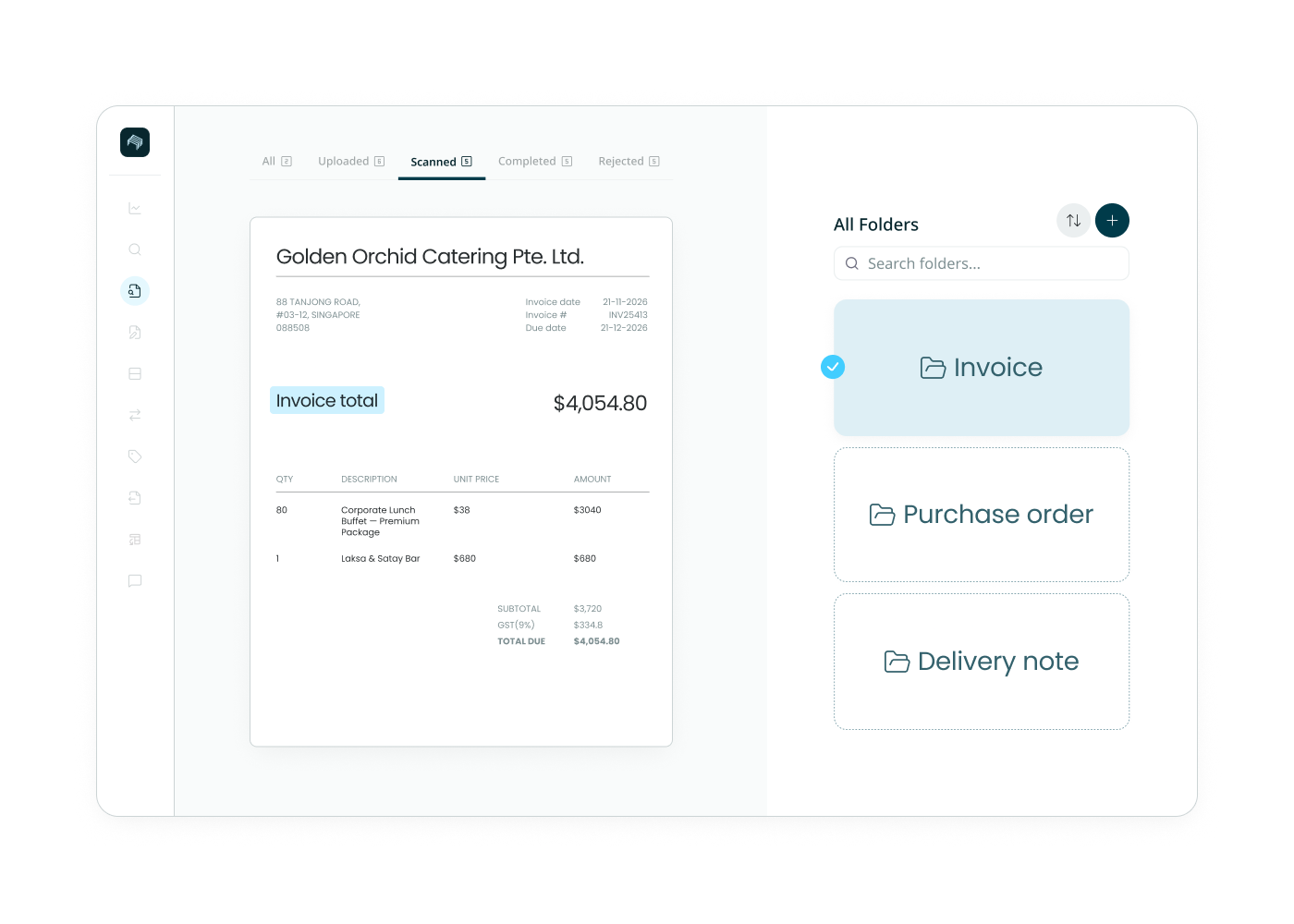
Real submissions arrive as one messy pile: a single PDF holding an invoice, a delivery note, and three supporting documents. Staple identifies each one by what it actually is, separates it, and routes it to the right queue, before extraction begins.
The mixed-pack problem
One file is rarely one document.
A KYC pack is a bank statement, a proof of address, and an ID scan stapled into a single PDF.
A supplier submission is an invoice plus its delivery note plus a contract.
Filenames don't tell you what's inside, and a person usually has to open each file, figure out what each page is, and split it before anything can be processed. That manual triage is where batches stall.
How Staple sorts what arrives
Classification
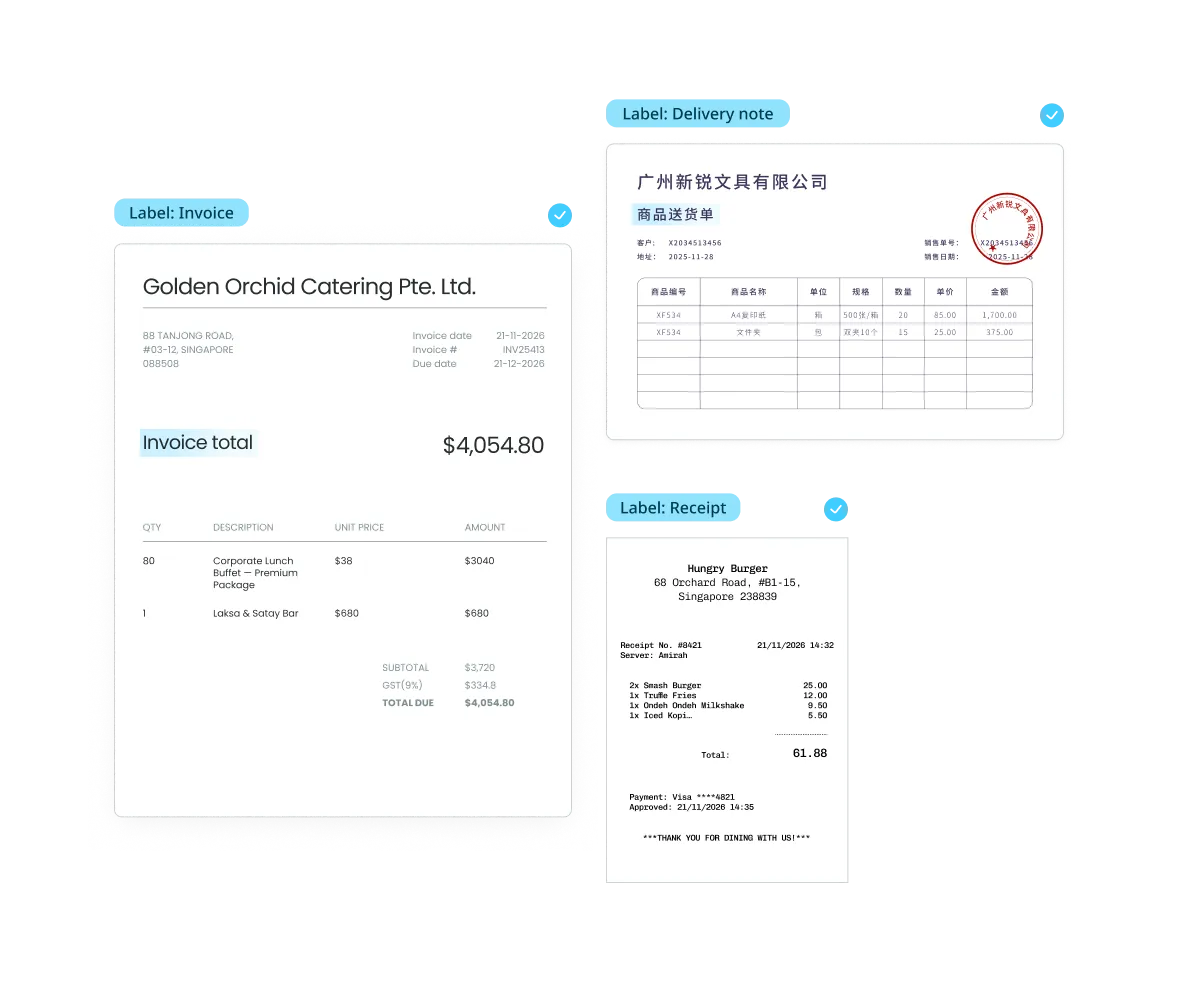
Identifies each document by content, not filename.
Staple reads what a document actually is, an invoice, a statement, a passport, a delivery note, using its content and context, not the filename or folder it arrived in. A misnamed file or an untitled scan is still classified correctly.
Intelligent Splitting and Merging
Separates a pack while keeping its relationships intact.
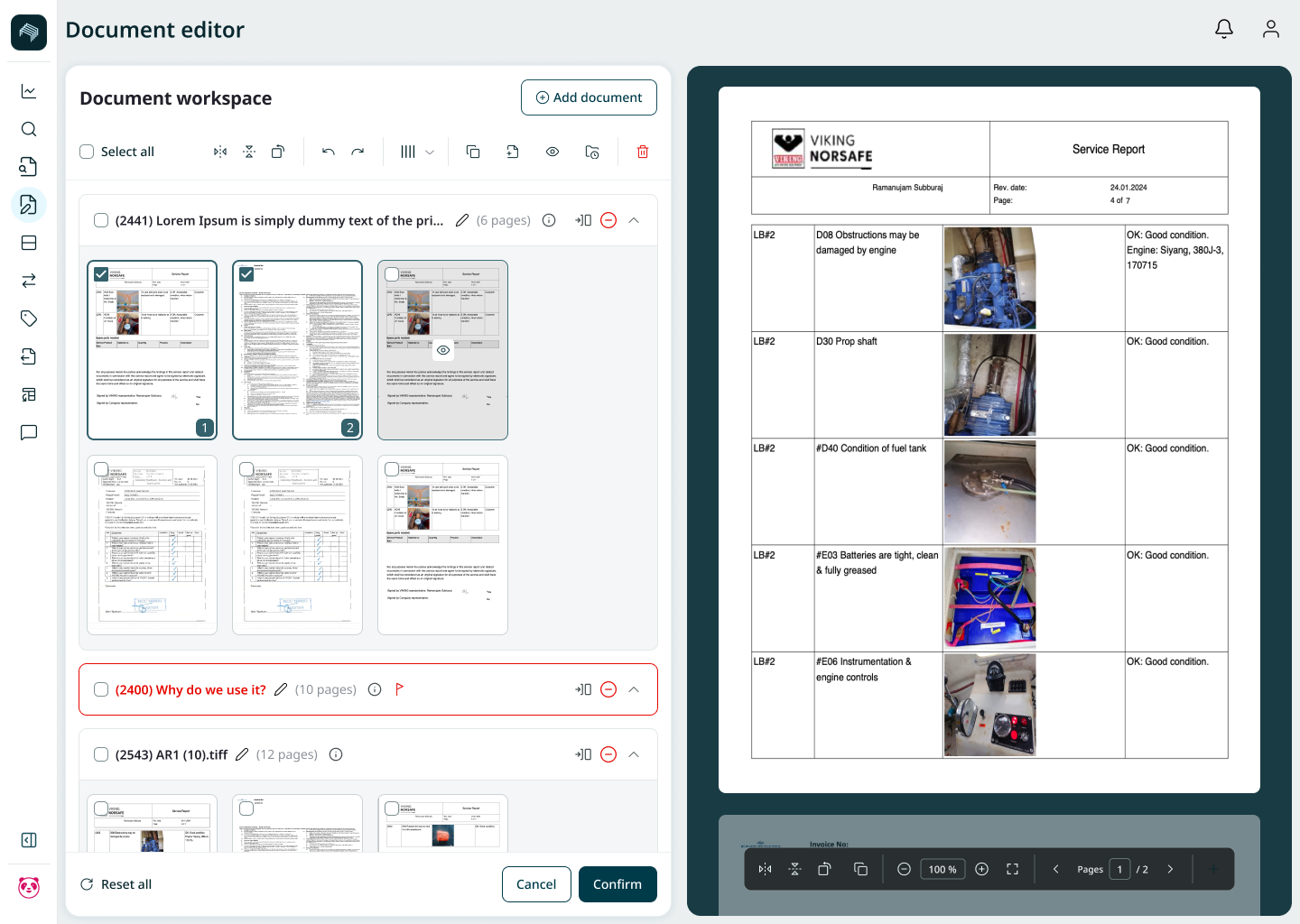
When one PDF holds multiple documents, Staple splits it into its parts. When one document spans multiple files or pages, it merges them back together. The link between related documents, an invoice and its delivery note, is preserved, so nothing is orphaned downstream.
Exception Handling
Uncertain cases go to review, the batch keeps moving.
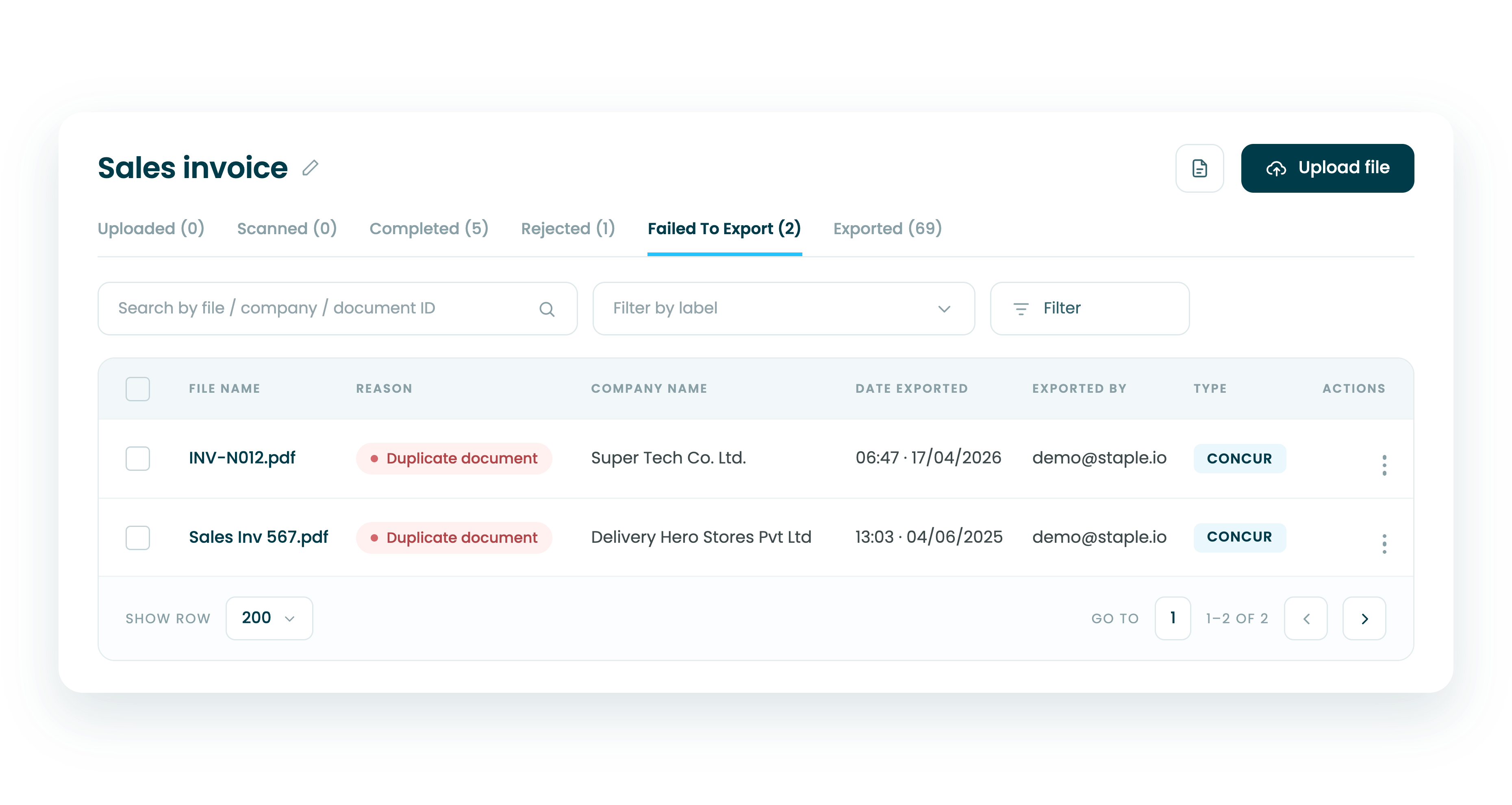
When Staple isn't confident about a document's type, it routes that one for human review instead of halting the whole batch. The rest of the submission continues processing, so one ambiguous document doesn't hold up a thousand clean ones.
Configuration
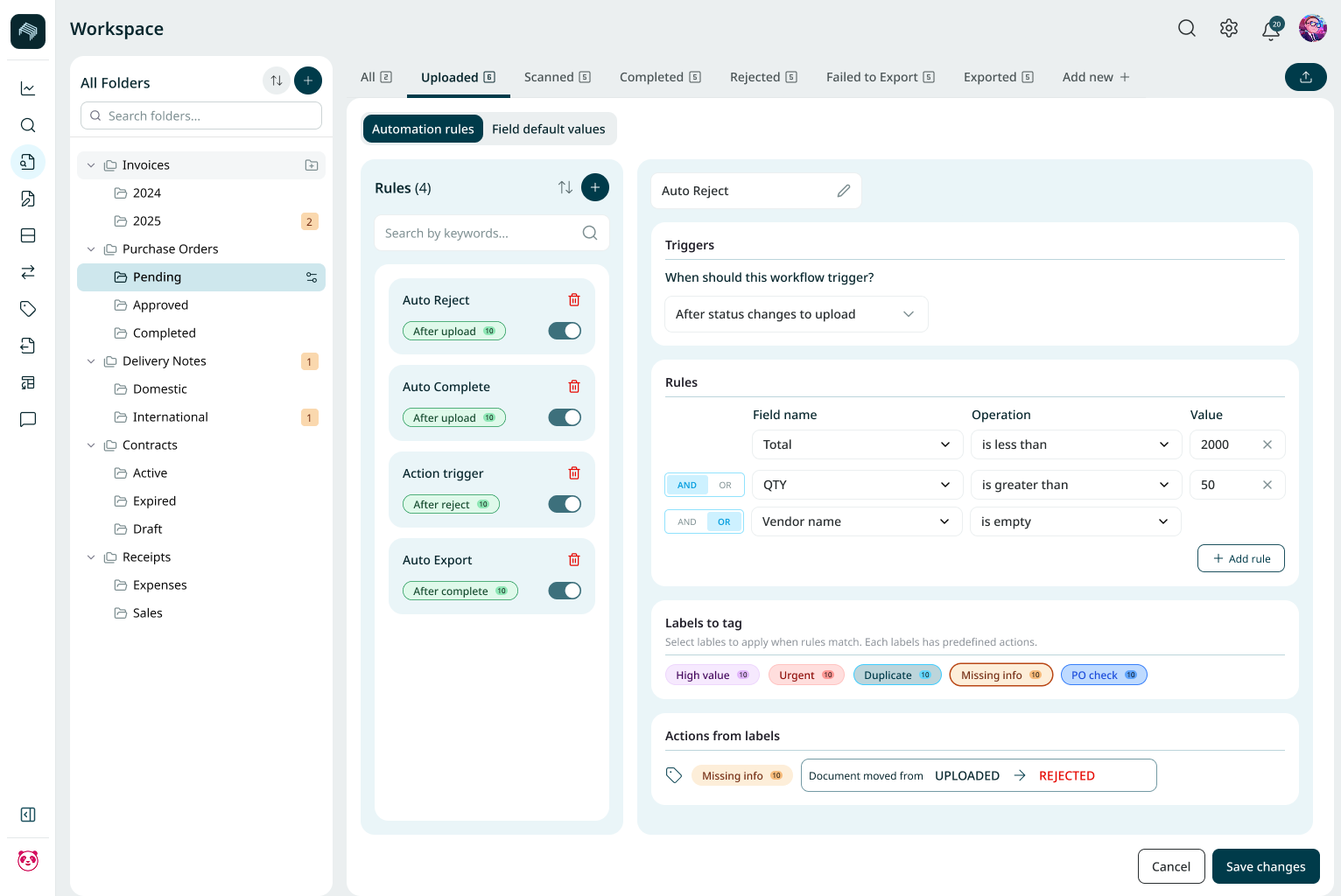
Set your own labels and rules, no code.
Define document types, set confidence thresholds, and configure where each type routes next, all without engineering. Classification adapts to your process rather than forcing your process to adapt to it.



Ingestion & Pre-processing
Accept documents from any channel and clean them for processing before sorting begins.

Document Tampering Detection
Catch forged or altered files at intake with metadata and pixel-level forensic checks.

File Lifecycle Management
Track every document from arrival to handoff, fully logged and auditable.
See how Staple sorts your real submissions.
Book a 30-minute demo. Bring a mixed document pack and we'll classify and split it live.
FAQ
What is document classification and splitting?
Document classification identifies what each document is, such as an invoice, bank statement, or ID. Splitting separates a file that contains multiple documents into its individual parts. Together they turn a mixed submission into correctly identified, correctly separated documents ready for the right process without anyone sorting them by hand.
How does Staple classify a document if the filename is wrong or missing?
Staple classifies by content and context, not by filename. It reads the document itself to determine its type, so an untitled scan, a misnamed PDF, or a photo with no metadata is still identified correctly and routed to the right process.
Can Staple split a single PDF that contains several different documents?
Yes. A common case is one PDF holding an invoice, a delivery note, and supporting documents. Staple detects the boundaries between them, splits them into separate documents, and preserves the relationship between related pages so nothing is lost or orphaned downstream.
What happens when Staple isn't sure what a document is?
Uncertain classifications are routed for human review individually, while the rest of the batch continues processing. This exception handling means one ambiguous document never stops a full submission, and confidence thresholds for review are configurable.
Do we need engineering to configure classification?
No. Document labels, confidence thresholds, and downstream routing rules are all set through no-code configuration, so business and operations teams can adapt classification to their own workflows without developer involvement.